What you will learn
- How Redis caching works (cache-aside), and the race that makes evicting too early dangerous
- The two ways to build a home feed, pull and push, and why big networks mix them
- How WebSockets push notifications to the browser the moment they happen
- How browsers upload images straight to S3 with presigned URLs
- Full-text search in PostgreSQL, with an index the query can actually use
Why it matters
The MVP from chapters 4 and 5 is correct, but it does the same work again and again, only learns about new notifications when you reload, and can't store a photo. These five features are the difference between "it works" and "it feels like a real social app". Each one also teaches a pattern you will meet in every large system: caches, background work, long-lived connections, object storage and search indexes.
Upgrading the MVP: what changes
This chapter adds to the code from chapters 4 and 5; nothing is thrown away. Here is the architecture after this chapter. The new parts are Redis, S3 and the WebSocket connection. Click a box to see what it does now.
- React app
- Keeps one WebSocket open for live notifications, uploads images straight to S3, and has a search page.
- Spring Boot API
- Caches profile cards in Redis, keeps a pre-built timeline per user, pushes notifications over WebSockets, and signs upload URLs. It never handles image bytes.
- PostgreSQL
- Unchanged as the source of truth, plus a second migration (V2) with two search indexes.
- Redis
- Two kinds of keys:
profile:alice(a cached profile card, 10-minute lifetime) andtimeline:7(a list of post ids for user 7's home feed). If Redis is empty or down, Chirp still works. - S3
- Stores uploaded images under
uploads/<user id>/<random>.png. Locally we run RustFS, an S3-compatible server; in production, real AWS S3.
New dependencies
Three starters and one AWS library join the pom.xml: spring-boot-starter-data-redis (the Redis client and StringRedisTemplate), spring-boot-starter-websocket, and the AWS SDK's s3 module. The SDK's BOM (bill of materials) in <dependencyManagement> pins every AWS module to one version, so we don't repeat version numbers. Here is the complete file; the new parts are marked "Chapter 6":
<?xml version="1.0" encoding="UTF-8"?>
<project xmlns="http://maven.apache.org/POM/4.0.0" xmlns:xsi="http://www.w3.org/2001/XMLSchema-instance"
         xsi:schemaLocation="http://maven.apache.org/POM/4.0.0 https://maven.apache.org/xsd/maven-4.0.0.xsd">
    <modelVersion>4.0.0</modelVersion>

    <parent>
        <groupId>org.springframework.boot</groupId>
        <artifactId>spring-boot-starter-parent</artifactId>
        <version>4.1.2</version>
        <relativePath/>
    </parent>

    <groupId>com.example</groupId>
    <artifactId>chirp</artifactId>
    <version>0.0.1-SNAPSHOT</version>
    <name>chirp</name>

    <properties>
        <java.version>21</java.version>
        <jjwt.version>0.13.0</jjwt.version>
        <aws-sdk.version>2.57.9</aws-sdk.version>
    </properties>

    <dependencyManagement>
        <dependencies>
            <!-- Keeps every AWS SDK module on the same version -->
            <dependency>
                <groupId>software.amazon.awssdk</groupId>
                <artifactId>bom</artifactId>
                <version>${aws-sdk.version}</version>
                <type>pom</type>
                <scope>import</scope>
            </dependency>
        </dependencies>
    </dependencyManagement>

    <dependencies>
        <!-- REST controllers, JSON and the embedded Tomcat server -->
        <dependency>
            <groupId>org.springframework.boot</groupId>
            <artifactId>spring-boot-starter-webmvc</artifactId>
        </dependency>
        <!-- JPA entities and repositories (Hibernate) -->
        <dependency>
            <groupId>org.springframework.boot</groupId>
            <artifactId>spring-boot-starter-data-jpa</artifactId>
        </dependency>
        <!-- Password hashing, the filter chain, @AuthenticationPrincipal -->
        <dependency>
            <groupId>org.springframework.boot</groupId>
            <artifactId>spring-boot-starter-security</artifactId>
        </dependency>
        <!-- @NotBlank, @Size, @Email on request bodies -->
        <dependency>
            <groupId>org.springframework.boot</groupId>
            <artifactId>spring-boot-starter-validation</artifactId>
        </dependency>
        <!-- Runs the SQL files in db/migration when the app starts -->
        <dependency>
            <groupId>org.springframework.boot</groupId>
            <artifactId>spring-boot-starter-flyway</artifactId>
        </dependency>
        <dependency>
            <groupId>org.flywaydb</groupId>
            <artifactId>flyway-database-postgresql</artifactId>
        </dependency>
        <!-- /actuator/health for Docker and load balancers -->
        <dependency>
            <groupId>org.springframework.boot</groupId>
            <artifactId>spring-boot-starter-actuator</artifactId>
        </dependency>
        <!-- Chapter 6: Redis for caching and timelines -->
        <dependency>
            <groupId>org.springframework.boot</groupId>
            <artifactId>spring-boot-starter-data-redis</artifactId>
        </dependency>
        <!-- Chapter 6: live notifications -->
        <dependency>
            <groupId>org.springframework.boot</groupId>
            <artifactId>spring-boot-starter-websocket</artifactId>
        </dependency>
        <!-- Chapter 6: presigned upload URLs for S3 -->
        <dependency>
            <groupId>software.amazon.awssdk</groupId>
            <artifactId>s3</artifactId>
        </dependency>
        <dependency>
            <groupId>org.postgresql</groupId>
            <artifactId>postgresql</artifactId>
            <scope>runtime</scope>
        </dependency>

        <!-- JSON Web Tokens -->
        <dependency>
            <groupId>io.jsonwebtoken</groupId>
            <artifactId>jjwt-api</artifactId>
            <version>${jjwt.version}</version>
        </dependency>
        <dependency>
            <groupId>io.jsonwebtoken</groupId>
            <artifactId>jjwt-impl</artifactId>
            <version>${jjwt.version}</version>
            <scope>runtime</scope>
        </dependency>
        <dependency>
            <groupId>io.jsonwebtoken</groupId>
            <artifactId>jjwt-jackson</artifactId>
            <version>${jjwt.version}</version>
            <scope>runtime</scope>
        </dependency>

        <!-- Tests (chapter 8) -->
        <dependency>
            <groupId>org.springframework.boot</groupId>
            <artifactId>spring-boot-starter-webmvc-test</artifactId>
            <scope>test</scope>
        </dependency>
        <dependency>
            <groupId>org.springframework.boot</groupId>
            <artifactId>spring-boot-starter-security-test</artifactId>
            <scope>test</scope>
        </dependency>
        <dependency>
            <groupId>org.springframework.boot</groupId>
            <artifactId>spring-boot-testcontainers</artifactId>
            <scope>test</scope>
        </dependency>
        <dependency>
            <groupId>org.testcontainers</groupId>
            <artifactId>testcontainers-junit-jupiter</artifactId>
            <scope>test</scope>
        </dependency>
        <dependency>
            <groupId>org.testcontainers</groupId>
            <artifactId>testcontainers-postgresql</artifactId>
            <scope>test</scope>
        </dependency>
    </dependencies>

    <build>
        <plugins>
            <plugin>
                <groupId>org.springframework.boot</groupId>
                <artifactId>spring-boot-maven-plugin</artifactId>
            </plugin>
        </plugins>
    </build>
</project>
Redis and a local S3 for development
The compose.yaml from chapter 4 started only PostgreSQL. Replace it with this version, which adds three services:
- redis: Redis 8.10 on port 6379.
- s3: RustFS, an open-source server that speaks the S3 API, on port 9000. Our code talks to it exactly as it would to AWS. (MinIO used to be the usual choice here, but it stopped publishing community Docker images in late 2025; LocalStack is another option.)
- s3-init: runs the official AWS CLI once to create the bucket, let anyone read
uploads/*, and allow browsers toPUTfiles (CORS). It waits until the S3 server answers, then exits.
# Development services for chapters 6-8: PostgreSQL, Redis and a local S3 (RustFS).
# Start them with:  docker compose up -d      Stop with:  docker compose down
services:
  postgres:
    image: postgres:18-alpine
    environment:
      POSTGRES_DB: chirp
      POSTGRES_USER: chirp
      POSTGRES_PASSWORD: chirp
    ports:
      - "5432:5432"
    volumes:
      - pgdata:/var/lib/postgresql

  redis:
    image: redis:8.10
    ports:
      - "6379:6379"

  # An S3-compatible server, so image uploads work offline and for free.
  s3:
    image: rustfs/rustfs:1.0.4
    environment:
      RUSTFS_ACCESS_KEY: chirp
      RUSTFS_SECRET_KEY: chirp-secret
    ports:
      - "9000:9000"
    volumes:
      - s3data:/data

  # Runs once: creates the bucket, makes uploads/ publicly readable, allows browser PUTs (CORS).
  s3-init:
    image: amazon/aws-cli:2.39.4
    depends_on:
      - s3
    environment:
      AWS_ACCESS_KEY_ID: chirp
      AWS_SECRET_ACCESS_KEY: chirp-secret
      AWS_DEFAULT_REGION: us-east-1
    volumes:
      - ./s3:/s3:ro
    entrypoint: ["/bin/sh", "-c"]
    command:
      - |
        until aws --endpoint-url http://s3:9000 s3api list-buckets > /dev/null 2>&1; do sleep 1; done
        aws --endpoint-url http://s3:9000 s3api create-bucket --bucket chirp-uploads 2> /dev/null || true
        aws --endpoint-url http://s3:9000 s3api put-bucket-policy --bucket chirp-uploads --policy file:///s3/bucket-policy.json
        aws --endpoint-url http://s3:9000 s3api put-bucket-cors --bucket chirp-uploads --cors-configuration file:///s3/cors.json
        echo "Bucket chirp-uploads is ready"

volumes:
  pgdata:
  s3data:
The two JSON files that s3-init applies live in a new s3/ folder next to compose.yaml. The bucket policy makes only the uploads/ prefix publicly readable (never the whole bucket, and never listable):
{
  "Version": "2012-10-17",
  "Statement": [
    {
      "Sid": "PublicReadForUploadedImages",
      "Effect": "Allow",
      "Principal": "*",
      "Action": "s3:GetObject",
      "Resource": "arn:aws:s3:::chirp-uploads/uploads/*"
    }
  ]
}
The CORS rules let pages served from our dev server (port 5173) and the production-like stack of chapter 8 (port 8088) upload with PUT. Browsers check this before every cross-origin upload; section 4 shows the error you get when your origin is missing.
{
  "CORSRules": [
    {
      "AllowedOrigins": ["http://localhost:5173", "http://localhost:8088"],
      "AllowedMethods": ["PUT"],
      "AllowedHeaders": ["content-type"],
      "MaxAgeSeconds": 3000
    }
  ]
}
docker compose up -d
docker compose logs s3-init Container chirp-redis-1 Started
Container chirp-s3-1 Started
Container chirp-postgres-1 Started
Container chirp-s3-init-1 Started
s3-init-1 | Bucket chirp-uploads is readyA quick check that Redis is alive:
docker compose exec redis redis-cli PINGPONGConfiguration
application.yml gains the Redis host, the S3 settings and one line that turns on Java 21 virtual threads for requests and background work. Every value still comes from an environment variable with a sensible local default; secrets have no default.
spring:
  application:
    name: chirp
  datasource:
    url: ${DB_URL}
    username: ${DB_USER}
    password: ${DB_PASSWORD}
  jpa:
    open-in-view: false        # no lazy loading after the service method returns
    hibernate:
      ddl-auto: validate       # Flyway owns the schema; Hibernate only checks it matches the entities
  mvc:
    problemdetails:
      enabled: true            # errors come back as RFC 9457 "problem detail" JSON
  data:
    redis:
      host: ${REDIS_HOST:localhost}
      port: ${REDIS_PORT:6379}
  threads:
    virtual:
      enabled: true            # Java 21 virtual threads for requests and @Async work

app:
  jwt:
    secret: ${JWT_SECRET}      # base64 of at least 32 random bytes; never commit a real one
    ttl: 24h
  s3:
    bucket: ${S3_BUCKET:chirp-uploads}
    endpoint: ${S3_ENDPOINT:}        # empty = real AWS S3; set it for RustFS/LocalStack on your machine
    public-url: ${S3_PUBLIC_URL}     # where browsers read uploaded images (bucket URL or CloudFront)
    region: ${AWS_REGION:us-east-1}
    access-key: ${S3_ACCESS_KEY:}    # leave empty on AWS: the SDK then uses the server's IAM role
    secret-key: ${S3_SECRET_KEY:}

management:
  endpoints:
    web:
      exposure:
        include: health
The dev profile points S3 at RustFS and uses the throwaway keys from compose.yaml. In production the access keys stay empty and the AWS SDK uses the server's IAM role instead (more in section 4).
# Settings for your own machine only. Start the app with the "dev" profile to use them:
#   ./mvnw spring-boot:run -Dspring-boot.run.profiles=dev
spring:
  datasource:
    url: jdbc:postgresql://localhost:5432/chirp
    username: chirp
    password: chirp
  jpa:
    show-sql: true             # print every SQL statement Hibernate runs (handy while learning)

app:
  jwt:
    # A throwaway development key. Production reads JWT_SECRET from the environment instead.
    secret: ZGV2LW9ubHktc2VjcmV0LWtleS1mb3ItY2hpcnAtZG8tbm90LXVzZS1pbi1wcm9k
  s3:
    endpoint: http://localhost:9000
    public-url: http://localhost:9000/chirp-uploads
    access-key: chirp                # the RustFS user from compose.yaml (real AWS uses an IAM role instead)
    secret-key: chirp-secret
1. Caching profiles in Redis
Redis is a server that keeps data in memory and answers simple commands: SET key value, GET key, push onto a list, read a range of a list. Memory is much faster than reading tables from disk and running SQL, but it is also smaller and, by default, less durable. So Redis is the perfect place for copies of data we read all the time, and a bad place for data we can't afford to lose.
Look at what a profile page costs today. GET /api/users/alice runs five queries: find the user, count followers, count following, count posts, and check whether you follow her. A popular profile is viewed far more often than it changes, so four of those five queries return the same answer again and again. That is exactly what a cache is for.
Analogy: the sticky note on your monitor
You look up a colleague's phone number in the company directory (slow), then write it on a sticky note (fast to read). Next time you read the note. When they change number, you throw the note away and look it up again. The directory is the database, the note is the cache, and throwing it away is called eviction.
Cache-aside, step by step
The pattern we use is called cache-aside (or lazy loading): the application looks in the cache first; on a miss it reads the database and stores the result in the cache with an expiry time (a TTL, time to live); on a hit it skips the database.
- Someone opens Alice's profile.
ProfileCacheasks Redis for the keyprofile:alice. - It's the first time, so Redis has nothing: a cache miss.
- We build the card the slow way: find the user and count followers, following and posts.
- PostgreSQL answers with the numbers.
- We store the card as JSON in Redis for 600 seconds (10 minutes), then answer the request.
- The next visitor asks for the same profile.
- This time Redis has it: a cache hit. PostgreSQL isn't asked for the card at all.
- Alice writes a new post, so her post count changed. We evict (delete) the key. The next view is a miss and rebuilds the card with the new count.
ProfileCache, simulated in this page. Counters count operations, not time.Each miss runs 4 queries for the card plus 1 for "do you follow her?". A hit still runs that last one, because the answer is different for every viewer; section ProfileCard explains why.
What exactly do we cache? ProfileCard
A profile response has two kinds of data. Name, bio and counts are the same for every viewer. followedByMe is different for every viewer: Bob sees true, Carol sees false. If we cached the whole response, Carol might be shown Bob's answer. So we split out the shareable part into its own record, ProfileCard, and compute followedByMe on every request (one small, indexed query).
package com.example.chirp.user;

import java.time.Instant;

/** The part of a profile that is the same for every viewer, so it can be cached. */
public record ProfileCard(
        long id,
        String username,
        String displayName,
        String bio,
        Instant createdAt,
        long followerCount,
        long followingCount,
        long postCount) {
}
The cache itself: ProfileCache
This class is the whole cache-aside pattern in about 40 lines. Read it with the animation above in mind:
- Keys are
profile:<username>. A prefix per kind of data keeps keys readable and avoids clashes withtimeline:…keys later. - Values are JSON, written and read with Jackson's
JsonMapper(Spring Boot 4 uses Jackson 3, whose package istools.jackson; its exceptions are unchecked, so there is notry/catchfor JSON). JSON is readable inredis-cliand survives a class being recompiled, unlike Java serialization. - TTL of 10 minutes is a safety net: even if we forget to evict somewhere, a stale card disappears on its own.
- Redis down? Every Redis call is wrapped: on a
DataAccessExceptionwe log a warning and read the database. A cache must make things faster, never make them fail.
package com.example.chirp.user;

import com.example.chirp.post.PostRepository;
import java.time.Duration;
import java.util.Locale;
import org.slf4j.Logger;
import org.slf4j.LoggerFactory;
import org.springframework.dao.DataAccessException;
import org.springframework.data.redis.core.StringRedisTemplate;
import org.springframework.http.HttpStatus;
import org.springframework.stereotype.Component;
import org.springframework.web.server.ResponseStatusException;
import tools.jackson.databind.json.JsonMapper;

/**
 * Cache-aside for profile cards:
 *   1. look in Redis;  2. on a miss, build the card from PostgreSQL;  3. save it in Redis for 10 minutes.
 * Writes that change a card (follow, new post, delete) call evict(), so the next read rebuilds it.
 * If Redis is down, we log it and use the database: the cache makes things faster, never required.
 */
@Component
public class ProfileCache {

    private static final Logger log = LoggerFactory.getLogger(ProfileCache.class);
    private static final Duration TTL = Duration.ofMinutes(10);

    private final StringRedisTemplate redis;
    private final JsonMapper json;
    private final UserRepository users;
    private final FollowRepository follows;
    private final PostRepository posts;

    public ProfileCache(StringRedisTemplate redis, JsonMapper json, UserRepository users,
                        FollowRepository follows, PostRepository posts) {
        this.redis = redis;
        this.json = json;
        this.users = users;
        this.follows = follows;
        this.posts = posts;
    }

    public ProfileCard get(String username) {
        String key = key(username);
        try {
            String cached = redis.opsForValue().get(key);
            if (cached != null) {
                return json.readValue(cached, ProfileCard.class);         // cache hit
            }
        } catch (DataAccessException e) {
            log.warn("Redis unavailable, reading profile from the database: {}", e.getMessage());
            return load(username);
        }
        ProfileCard card = load(username);                                // cache miss
        try {
            redis.opsForValue().set(key, json.writeValueAsString(card), TTL);
        } catch (DataAccessException e) {
            log.warn("Could not cache profile {}: {}", username, e.getMessage());
        }
        return card;
    }

    public void evict(String username) {
        try {
            redis.delete(key(username));
        } catch (DataAccessException e) {
            log.warn("Could not evict profile {}: {}", username, e.getMessage());
        }
    }

    private ProfileCard load(String username) {
        User user = users.findByUsername(username.toLowerCase(Locale.ROOT))
                .orElseThrow(() -> new ResponseStatusException(HttpStatus.NOT_FOUND, "User not found"));
        long id = user.getId();
        return new ProfileCard(id, user.getUsername(), user.getDisplayName(), user.getBio(), user.getCreatedAt(),
                follows.countFollowers(id), follows.countFollowing(id), posts.countByAuthorId(id));
    }

    private static String key(String username) {
        return "profile:" + username.toLowerCase(Locale.ROOT);
    }
}
The short way: @Cacheable
Spring can do cache-aside for you: annotate a method with @Cacheable("profiles") and @CacheEvict, add spring-boot-starter-cache, and Spring stores the return value in Redis. We wrote it by hand because it shows every step, lets us choose the JSON format and the Redis-is-down behaviour, and avoids the classic trap that @Cacheable does nothing when the method is called from inside the same class (the annotation only works through Spring's proxy).
Evict after the commit, not before
When should we evict? "Right after we change the database" sounds right, but inside a transaction the change isn't visible to other requests until the commit. Step through what happens if we evict too early:
- Request A starts a transaction and inserts "Bob follows Alice". It is not committed yet, so nobody else can see it.
- A evicts
profile:alicestraight away. - Request B wants Alice's profile. The key is gone: a miss.
- B counts Alice's followers. A hasn't committed, so B sees the old number.
- B caches the card with the old count, for 10 minutes.
- A commits. The database is right, but the cache is wrong until the TTL runs out.
- The fix: run the eviction only after the commit. Any card cached before this moment is thrown away, and the next read sees the new count. That is what our
AfterCommithelper does.
AfterCommit.run(…) registers the action with Spring's transaction manager, which calls it once the commit has succeeded (and never, if the transaction rolls back). Outside a transaction it runs immediately.
package com.example.chirp.common;

import org.springframework.transaction.support.TransactionSynchronization;
import org.springframework.transaction.support.TransactionSynchronizationManager;

/**
 * Runs an action only after the current transaction has committed.
 * Used for cache evictions: evicting earlier lets another request re-cache the old data
 * in the moment between our evict and our commit.
 */
public final class AfterCommit {

    private AfterCommit() {
    }

    public static void run(Runnable action) {
        if (TransactionSynchronizationManager.isSynchronizationActive()) {
            TransactionSynchronizationManager.registerSynchronization(new TransactionSynchronization() {
                @Override
                public void afterCommit() {
                    action.run();
                }
            });
        } else {
            action.run();   // no transaction: the change is already saved
        }
    }
}
Using the cache: UserService and PostService
Before (chapter 4)
public ProfileResponse profile(AuthUser me, String username) {
    User user = findByUsername(username);
    long id = user.getId();
    return new ProfileResponse(id, user.getUsername(), user.getDisplayName(), user.getBio(), user.getCreatedAt(),
            follows.countFollowers(id), follows.countFollowing(id), posts.countByAuthorId(id),
            follows.isFollowing(me.id(), id));
Five queries on every view.
After
public ProfileResponse profile(AuthUser me, String username) {
    ProfileCard card = profileCache.get(username);              // shared by every viewer: cached
    boolean followedByMe = follows.isFollowing(me.id(), card.id());   // depends on the viewer: not cached
    return new ProfileResponse(card.id(), card.username(), card.displayName(), card.bio(), card.createdAt(),
            card.followerCount(), card.followingCount(), card.postCount(), followedByMe);
One query on a cache hit.
Here is the complete new UserService. Besides reading the card from the cache, follow and unfollow now call followsChanged, which (after the commit) evicts both users' cards, because Alice gained a follower and Bob is following one more person, and also drops Bob's pre-built timeline, which you'll meet in the next section. UserService no longer needs PostRepository: counting posts moved into ProfileCache.
package com.example.chirp.user;

import com.example.chirp.auth.AuthUser;
import com.example.chirp.common.AfterCommit;
import com.example.chirp.feed.TimelineService;
import com.example.chirp.notification.NotificationService;
import com.example.chirp.notification.NotificationType;
import java.util.List;
import java.util.Locale;
import org.springframework.http.HttpStatus;
import org.springframework.stereotype.Service;
import org.springframework.transaction.annotation.Transactional;
import org.springframework.web.server.ResponseStatusException;

@Service
public class UserService {

    private final UserRepository users;
    private final FollowRepository follows;
    private final NotificationService notifications;
    private final ProfileCache profileCache;
    private final TimelineService timelines;

    public UserService(UserRepository users, FollowRepository follows, NotificationService notifications,
                       ProfileCache profileCache, TimelineService timelines) {
        this.users = users;
        this.follows = follows;
        this.notifications = notifications;
        this.profileCache = profileCache;
        this.timelines = timelines;
    }

    public User findByUsername(String username) {
        return users.findByUsername(username.toLowerCase(Locale.ROOT))
                .orElseThrow(() -> new ResponseStatusException(HttpStatus.NOT_FOUND, "User not found"));
    }

    @Transactional(readOnly = true)
    public UserSummary summary(long userId) {
        return users.findById(userId).map(UserSummary::from)
                .orElseThrow(() -> new ResponseStatusException(HttpStatus.UNAUTHORIZED, "User no longer exists"));
    }

    @Transactional(readOnly = true)
    public ProfileResponse profile(AuthUser me, String username) {
        ProfileCard card = profileCache.get(username);              // shared by every viewer: cached
        boolean followedByMe = follows.isFollowing(me.id(), card.id());   // depends on the viewer: not cached
        return new ProfileResponse(card.id(), card.username(), card.displayName(), card.bio(), card.createdAt(),
                card.followerCount(), card.followingCount(), card.postCount(), followedByMe);
    }

    @Transactional
    public void follow(AuthUser me, String username) {
        User target = findByUsername(username);
        if (target.getId() == me.id()) {
            throw new ResponseStatusException(HttpStatus.BAD_REQUEST, "You cannot follow yourself");
        }
        if (follows.follow(me.id(), target.getId())) {
            notifications.notify(target.getId(), me.id(), NotificationType.FOLLOW, null);
            followsChanged(me, target);
        }
    }

    @Transactional
    public void unfollow(AuthUser me, String username) {
        User target = findByUsername(username);
        if (follows.unfollow(me.id(), target.getId())) {
            followsChanged(me, target);
        }
    }

    private void followsChanged(AuthUser me, User target) {
        String targetName = target.getUsername();
        AfterCommit.run(() -> {
            profileCache.evict(targetName);         // their follower count changed
            profileCache.evict(me.username());      // my following count changed
            timelines.invalidate(me.id());          // my timeline must now include (or drop) their posts
        });
    }

    @Transactional(readOnly = true)
    public List<UserSummary> suggestions(AuthUser me) {
        return users.findSuggestions(me.id(), 5).stream().map(UserSummary::from).toList();
    }
}
And this is how creating a post changes. It also evicts the author's card (post count), handles the optional image (section 4) and publishes an event (section 2):
Before (chapter 4)
public PostResponse create(AuthUser me, CreatePostRequest request) {
    User author = users.findById(me.id())
            .orElseThrow(() -> new ResponseStatusException(HttpStatus.UNAUTHORIZED, "User no longer exists"));
    Post post = posts.save(new Post(author, request.content().strip(), null));
    return PostResponse.from(post, false, false);
After
public PostResponse create(AuthUser me, CreatePostRequest request) {
    User author = users.findById(me.id())
            .orElseThrow(() -> new ResponseStatusException(HttpStatus.UNAUTHORIZED, "User no longer exists"));
    String imageUrl = uploads.imageUrlFor(me, request.imageKey());   // null when there is no image
    Post post = posts.save(new Post(author, request.content().strip(), imageUrl));
    events.publishEvent(new PostCreatedEvent(post.getId(), me.id()));  // fan-out happens after commit
    AfterCommit.run(() -> profileCache.evict(me.username()));        // post count changed
    return PostResponse.from(post, false, false);
The complete PostService, with three new constructor parameters (ProfileCache, UploadService and Spring's ApplicationEventPublisher) and the eviction in delete:
package com.example.chirp.post;

import com.example.chirp.auth.AuthUser;
import com.example.chirp.common.AfterCommit;
import com.example.chirp.notification.NotificationService;
import com.example.chirp.notification.NotificationType;
import com.example.chirp.upload.UploadService;
import com.example.chirp.user.ProfileCache;
import com.example.chirp.user.User;
import com.example.chirp.user.UserRepository;
import com.example.chirp.user.UserService;
import java.util.List;
import java.util.Set;
import org.springframework.context.ApplicationEventPublisher;
import org.springframework.data.domain.Limit;
import org.springframework.http.HttpStatus;
import org.springframework.stereotype.Service;
import org.springframework.transaction.annotation.Transactional;
import org.springframework.web.server.ResponseStatusException;

@Service
public class PostService {

    public static final int MAX_PAGE_SIZE = 50;

    private final PostRepository posts;
    private final UserRepository users;
    private final UserService userService;
    private final LikeRepository likes;
    private final RepostRepository reposts;
    private final NotificationService notifications;
    private final ProfileCache profileCache;
    private final UploadService uploads;
    private final ApplicationEventPublisher events;

    public PostService(PostRepository posts, UserRepository users, UserService userService, LikeRepository likes,
                       RepostRepository reposts, NotificationService notifications, ProfileCache profileCache,
                       UploadService uploads, ApplicationEventPublisher events) {
        this.posts = posts;
        this.users = users;
        this.userService = userService;
        this.likes = likes;
        this.reposts = reposts;
        this.notifications = notifications;
        this.profileCache = profileCache;
        this.uploads = uploads;
        this.events = events;
    }

    @Transactional
    public PostResponse create(AuthUser me, CreatePostRequest request) {
        User author = users.findById(me.id())
                .orElseThrow(() -> new ResponseStatusException(HttpStatus.UNAUTHORIZED, "User no longer exists"));
        String imageUrl = uploads.imageUrlFor(me, request.imageKey());   // null when there is no image
        Post post = posts.save(new Post(author, request.content().strip(), imageUrl));
        events.publishEvent(new PostCreatedEvent(post.getId(), me.id()));  // fan-out happens after commit
        AfterCommit.run(() -> profileCache.evict(me.username()));        // post count changed
        return PostResponse.from(post, false, false);
    }

    @Transactional(readOnly = true)
    public PostResponse get(AuthUser me, long postId) {
        Post post = posts.findWithAuthorById(postId).orElseThrow(PostService::postNotFound);
        return toResponses(me, List.of(post)).getFirst();
    }

    @Transactional
    public void delete(AuthUser me, long postId) {
        Post post = posts.findById(postId).orElseThrow(PostService::postNotFound);
        if (post.getAuthor().getId() != me.id()) {
            throw new ResponseStatusException(HttpStatus.FORBIDDEN, "You can only delete your own posts");
        }
        posts.delete(post);   // likes, reposts, comments and notifications go too (ON DELETE CASCADE)
        AfterCommit.run(() -> profileCache.evict(me.username()));
        // Timelines may still hold this id; FeedService skips ids that no longer exist.
    }

    @Transactional(readOnly = true)
    public PostPage userPosts(AuthUser me, String username, Long cursor, int size) {
        int limit = pageSize(size);
        User author = userService.findByUsername(username);
        List<Post> page = posts.findByAuthorBefore(author.getId(), cursorOrMax(cursor), Limit.of(limit));
        return PostPage.of(toResponses(me, page), limit);
    }

    @Transactional
    public LikeResponse like(AuthUser me, long postId) {
        Post post = posts.findById(postId).orElseThrow(PostService::postNotFound);
        if (likes.add(me.id(), postId)) {
            posts.addToLikeCount(postId, 1);
            notifications.notify(post.getAuthor().getId(), me.id(), NotificationType.LIKE, postId);
        }
        return new LikeResponse(true, posts.findLikeCount(postId));
    }

    @Transactional
    public LikeResponse unlike(AuthUser me, long postId) {
        posts.findById(postId).orElseThrow(PostService::postNotFound);
        if (likes.remove(me.id(), postId)) {
            posts.addToLikeCount(postId, -1);
        }
        return new LikeResponse(false, posts.findLikeCount(postId));
    }

    @Transactional
    public RepostResponse repost(AuthUser me, long postId) {
        Post post = posts.findById(postId).orElseThrow(PostService::postNotFound);
        if (reposts.add(me.id(), postId)) {
            posts.addToRepostCount(postId, 1);
            notifications.notify(post.getAuthor().getId(), me.id(), NotificationType.REPOST, postId);
        }
        return new RepostResponse(true, posts.findRepostCount(postId));
    }

    @Transactional
    public RepostResponse unrepost(AuthUser me, long postId) {
        posts.findById(postId).orElseThrow(PostService::postNotFound);
        if (reposts.remove(me.id(), postId)) {
            posts.addToRepostCount(postId, -1);
        }
        return new RepostResponse(false, posts.findRepostCount(postId));
    }

    /** Adds "did I like / repost this?" to a list of posts with two queries in total, not two per post. */
    public List<PostResponse> toResponses(AuthUser me, List<Post> page) {
        List<Long> ids = page.stream().map(Post::getId).toList();
        Set<Long> liked = likes.findLikedPostIds(me.id(), ids);
        Set<Long> reposted = reposts.findRepostedPostIds(me.id(), ids);
        return page.stream()
                .map(p -> PostResponse.from(p, liked.contains(p.getId()), reposted.contains(p.getId())))
                .toList();
    }

    public static int pageSize(int requested) {
        return Math.clamp(requested, 1, MAX_PAGE_SIZE);
    }

    public static long cursorOrMax(Long cursor) {
        return cursor == null ? Long.MAX_VALUE : cursor;
    }

    static ResponseStatusException postNotFound() {
        return new ResponseStatusException(HttpStatus.NOT_FOUND, "Post not found");
    }
}
Look inside Redis
Start the backend with the dev profile, open a profile once in the app (or with curl), then look at what Redis holds:
docker compose exec redis redis-cli GET profile:alice
docker compose exec redis redis-cli TTL profile:alice
{"id":6,"username":"alice","displayName":"Alice","bio":"","createdAt":"2026-11-05T16:48:29.060404Z","followerCount":2,"followingCount":0,"postCount":3}
600TTL prints the seconds left before Redis deletes the key by itself (600 right after it was written, counting down). If GET prints (nil), nobody has viewed the profile since the last eviction, which is normal.
2. Feed generation: pull versus push
This is the most important design decision in a Twitter-like system, so we'll take it slowly. The question is simple: when do we work out which posts belong in Bob's home feed?
- Pull (also called fan-out on read): when Bob opens his feed, look up everyone he follows and fetch their newest posts. That's what chapter 4 built.
- Push (fan-out on write): when Alice posts, immediately add the post's id to the pre-built feed of every one of her followers. When Bob opens his feed, it's already waiting.
Remember the town notice boards from chapter 1? Pull means Bob walks round every board of every person he follows each time he wants news. Push means a helper copies each new note onto all the followers' boards the moment it's pinned. Watch both:
- Alice posts.
- One row is inserted. That's all the work a post costs. Her followers don't hear about it yet.
- Later, Bob opens his feed.
- The query looks up everyone Bob follows, then the newest posts by any of them, merged and sorted, keeping the top 20.
- Bob sees the feed. Open it again a minute later and the whole query runs again.
- Alice posts.
- The post is saved and committed in PostgreSQL, exactly as before.
- Then, in the background, its id (12) is pushed onto the front of each follower's timeline list in Redis. Three followers, three small writes.
- Bob opens his feed.
- We read the ids from the front of
timeline:bob: 12, 11, 10, … - One query loads those posts by primary key, which is the cheapest kind of query there is.
- Bob sees his feed. No "who do I follow?" work at read time.
The trade-off, and the celebrity problem
Social networks are read-heavy: feeds are opened far more often than posts are written. That makes push attractive: do the work once when posting, then make the frequent reads cheap. But push has a catch. The cost of one post grows with the author's follower count. For most people that's a few dozen or a few hundred list pushes. For an account with tens of millions of followers, a single post means tens of millions of writes, and followers far down the list see it late.
Play with the numbers. The counters are the number of operations each strategy does, worked out from how our code behaves, not measured times.
Pull
- When the author posts
- When a reader opens the feed
Push
- When the author posts
- When a reader opens the feed
Hybrid
- When the author posts
- When a reader opens the feed
Hybrid here pushes for authors with fewer than 100,000 followers and pulls the rest at read time. That threshold is an example, not a rule; real systems tune it from their own data.
Large networks have publicly described using a hybrid: push for ordinary accounts, and for the few accounts with huge followings, skip the fan-out and merge their recent posts into your feed when you open it. Our Chirp uses plain push with a pull fallback, which is plenty for any realistic number of users on one server. Chapter 7 returns to the celebrity problem at scale.
How Chirp stores timelines
Each user's timeline is a Redis list under the key timeline:<user id>, holding post ids (not whole posts), newest first. Storing ids keeps the lists small and means an edited or deleted post never needs fixing in thousands of lists: we always load the real post from PostgreSQL. Four Redis list commands do all the work:
| Command | In Java | What we use it for |
|---|---|---|
LPUSHX key id | leftPushIfPresent | Add a new post to the front, but only if the list already exists. Users who haven't opened their feed recently don't get a list built for them. |
LTRIM key 0 799 | trim | Keep only the newest 800 ids, so lists can't grow forever. |
LRANGE key 0 799 | range | Read the ids to build a page of the feed. |
RPUSH + EXPIRE | rightPushAll, expire | Rebuild a missing timeline from PostgreSQL, and let Redis forget it after 7 days without use. |
Why LPUSHX rather than LPUSH? A timeline either exists completely (built from the database) or not at all. If we created a list for every follower on every post, a user who hadn't logged in for a year would get a list containing only today's posts, which looks like a complete feed but isn't. With LPUSHX that user simply gets their timeline rebuilt properly on their next visit.
Fan-out after the commit, in the background
Two rules for the fan-out:
- Only after the commit. If we pushed id 12 into timelines and then the transaction rolled back, followers would have an id for a post that doesn't exist. Spring's
@TransactionalEventListenerdelivers an event only after the publishing transaction commits. - Not on the author's request. Alice shouldn't wait while we write to every follower's list.
@Asyncruns the listener on a background thread, and the "virtual threads" setting fromapplication.ymlmakes those threads cheap.
So PostService.create just publishes a tiny event. The event is a record with two ids:
package com.example.chirp.post;

/** Published when a post is saved. TimelineService pushes it to followers after the commit. */
public record PostCreatedEvent(long postId, long authorId) {
}
@Async does nothing until it is switched on with @EnableAsync:
package com.example.chirp.config;

import org.springframework.context.annotation.Configuration;
import org.springframework.scheduling.annotation.EnableAsync;

/** Lets @Async methods run in the background (on virtual threads, see application.yml). */
@Configuration
@EnableAsync
public class AsyncConfig {
}
The fan-out needs the list of followers, so FollowRepository gets one new method at the bottom:
package com.example.chirp.user;

import java.util.List;
import org.springframework.jdbc.core.simple.JdbcClient;
import org.springframework.stereotype.Repository;

/**
 * The follows table is just pairs of ids, so plain SQL is simpler than a JPA entity.
 * JdbcClient joins the same transaction as the JPA repositories.
 */
@Repository
public class FollowRepository {

    private final JdbcClient jdbc;

    public FollowRepository(JdbcClient jdbc) {
        this.jdbc = jdbc;
    }

    /** @return true if a new row was added, false if already following. */
    public boolean follow(long followerId, long followeeId) {
        return jdbc.sql("INSERT INTO follows (follower_id, followee_id) VALUES (?, ?) ON CONFLICT DO NOTHING")
                .params(followerId, followeeId)
                .update() == 1;
    }

    public boolean unfollow(long followerId, long followeeId) {
        return jdbc.sql("DELETE FROM follows WHERE follower_id = ? AND followee_id = ?")
                .params(followerId, followeeId)
                .update() == 1;
    }

    public boolean isFollowing(long followerId, long followeeId) {
        return jdbc.sql("SELECT EXISTS (SELECT 1 FROM follows WHERE follower_id = ? AND followee_id = ?)")
                .params(followerId, followeeId)
                .query(Boolean.class)
                .single();
    }

    public long countFollowers(long userId) {
        return jdbc.sql("SELECT count(*) FROM follows WHERE followee_id = ?").param(userId).query(Long.class).single();
    }

    public long countFollowing(long userId) {
        return jdbc.sql("SELECT count(*) FROM follows WHERE follower_id = ?").param(userId).query(Long.class).single();
    }

    /** Everyone who follows this user (used to push a new post into their timelines). */
    public List<Long> findFollowerIds(long userId) {
        return jdbc.sql("SELECT follower_id FROM follows WHERE followee_id = ?").param(userId).query(Long.class).list();
    }
}
TimelineService
The heart of the push model. onPostCreated is the fan-out; read returns a page of ids, or "empty" if the user has no timeline yet; rebuild runs the pull query from chapter 4 once (for up to 800 posts) and stores the result; invalidate deletes a timeline so the next read rebuilds it.
package com.example.chirp.feed;

import com.example.chirp.post.PostCreatedEvent;
import com.example.chirp.post.PostRepository;
import com.example.chirp.user.FollowRepository;
import java.time.Duration;
import java.util.ArrayList;
import java.util.List;
import java.util.Optional;
import org.springframework.data.redis.core.StringRedisTemplate;
import org.springframework.scheduling.annotation.Async;
import org.springframework.stereotype.Service;
import org.springframework.transaction.event.TransactionalEventListener;

/**
 * "Push" (fan-out on write) timelines in Redis.
 * Each user has a Redis list  timeline:{userId}  holding the ids of the newest posts for their home feed,
 * newest first. When someone posts, we push the new id into each follower's list.
 */
@Service
public class TimelineService {

    static final int MAX_LENGTH = 800;                 // keep only the newest 800 ids per user
    private static final Duration KEEP = Duration.ofDays(7);

    private final StringRedisTemplate redis;
    private final FollowRepository follows;
    private final PostRepository posts;

    public TimelineService(StringRedisTemplate redis, FollowRepository follows, PostRepository posts) {
        this.redis = redis;
        this.follows = follows;
        this.posts = posts;
    }

    /**
     * Fan-out. Runs after the post's transaction commits (so followers never see an id that was rolled back),
     * on a background thread (so the author's request doesn't wait for thousands of followers).
     */
    @Async
    @TransactionalEventListener
    public void onPostCreated(PostCreatedEvent event) {
        String id = String.valueOf(event.postId());
        List<Long> audience = new ArrayList<>(follows.findFollowerIds(event.authorId()));
        audience.add(event.authorId());                    // you see your own posts too
        for (long userId : audience) {
            String key = key(userId);
            // LPUSHX only adds to lists that exist. Users without a cached timeline get one built on their next read.
            Long length = redis.opsForList().leftPushIfPresent(key, id);
            if (length != null && length > MAX_LENGTH) {
                redis.opsForList().trim(key, 0, MAX_LENGTH - 1);
            }
        }
    }

    /**
     * One page of post ids older than the cursor, or empty if this user has no timeline in Redis yet.
     */
    public Optional<List<Long>> read(long userId, long cursor, int limit) {
        List<String> ids = redis.opsForList().range(key(userId), 0, MAX_LENGTH - 1);
        if (ids == null || ids.isEmpty()) {
            return Optional.empty();
        }
        return Optional.of(ids.stream().map(Long::valueOf).distinct().filter(id -> id < cursor).limit(limit).toList());
    }

    /** Builds the timeline from PostgreSQL (the "pull" query) and stores it. Returns the ids. */
    public List<Long> rebuild(long userId) {
        List<Long> ids = posts.findFeedIds(userId, Long.MAX_VALUE, MAX_LENGTH);
        String key = key(userId);
        redis.delete(key);
        if (!ids.isEmpty()) {
            redis.opsForList().rightPushAll(key, ids.stream().map(String::valueOf).toList());
            redis.expire(key, KEEP);
        }
        return ids;
    }

    /** Forget a timeline (after follow/unfollow); the next read rebuilds it. */
    public void invalidate(long userId) {
        redis.delete(key(userId));
    }

    private static String key(long userId) {
        return "timeline:" + userId;
    }
}
Why does following someone delete my timeline?
When Bob follows Carol, his timeline should suddenly include Carol's older posts too, not just future ones. Merging them into the right places in the list is fiddly. Deleting the list is simple and always correct: Bob's next feed read rebuilds it from PostgreSQL with Carol included. Unfollowing works the same way in reverse. Follows are rare compared with reads, so the occasional rebuild is cheap.
What happens to deleted posts that are still in timelines?
Nothing needs to happen. When we load the posts for a page, PostgreSQL simply doesn't return ids that no longer exist, so they drop out. That's also why FeedService computes the next cursor from the ids rather than from the loaded posts: a page with a deleted post in it has fewer than 20 posts, but the feed must not stop there.
FeedService: push first, pull as the fallback
Before: always pull
public PostPage homeFeed(AuthUser me, Long cursor, int size) {
    int limit = PostService.pageSize(size);
    // Query 1: which posts? (only ids, using the indexes)
    List<Long> ids = posts.findFeedIds(me.id(), PostService.cursorOrMax(cursor), limit);
    // Query 2: load those posts with their authors.
    List<Post> page = ids.isEmpty() ? List.of() : posts.findAllWithAuthorByIdIn(ids);
    return PostPage.of(postService.toResponses(me, page), limit);
After: timeline, then pull
public PostPage homeFeed(AuthUser me, Long cursor, int size) {
    int limit = PostService.pageSize(size);
    long before = PostService.cursorOrMax(cursor);
    List<Long> ids = timelineIds(me.id(), before, limit);
    // Load the posts with their authors. Deleted posts are simply not found, so they drop out.
    List<Post> page = ids.isEmpty() ? List.of() : posts.findAllWithAuthorByIdIn(ids);
    // The cursor comes from the ids, not the posts, so a deleted post can't end the feed early.
    Long nextCursor = ids.size() == limit ? ids.getLast() : null;
    return new PostPage(postService.toResponses(me, page), nextCursor);
The complete class. Notice the three paths in timelineIds: the timeline exists (push), it doesn't (rebuild once from the pull query), or Redis is unreachable (plain pull, exactly like chapter 4). Chirp's feed keeps working in all three.
package com.example.chirp.feed;

import com.example.chirp.auth.AuthUser;
import com.example.chirp.post.Post;
import com.example.chirp.post.PostPage;
import com.example.chirp.post.PostRepository;
import com.example.chirp.post.PostService;
import java.util.List;
import org.slf4j.Logger;
import org.slf4j.LoggerFactory;
import org.springframework.dao.DataAccessException;
import org.springframework.stereotype.Service;
import org.springframework.transaction.annotation.Transactional;

/**
 * The home feed. Chapter 4 built it "pull" style (ask PostgreSQL every time).
 * Now it reads the user's pre-built timeline from Redis ("push"), and falls back to the
 * pull query when the timeline is missing or Redis is down.
 */
@Service
public class FeedService {

    private static final Logger log = LoggerFactory.getLogger(FeedService.class);

    private final PostRepository posts;
    private final PostService postService;
    private final TimelineService timelines;

    public FeedService(PostRepository posts, PostService postService, TimelineService timelines) {
        this.posts = posts;
        this.postService = postService;
        this.timelines = timelines;
    }

    @Transactional(readOnly = true)
    public PostPage homeFeed(AuthUser me, Long cursor, int size) {
        int limit = PostService.pageSize(size);
        long before = PostService.cursorOrMax(cursor);
        List<Long> ids = timelineIds(me.id(), before, limit);
        // Load the posts with their authors. Deleted posts are simply not found, so they drop out.
        List<Post> page = ids.isEmpty() ? List.of() : posts.findAllWithAuthorByIdIn(ids);
        // The cursor comes from the ids, not the posts, so a deleted post can't end the feed early.
        Long nextCursor = ids.size() == limit ? ids.getLast() : null;
        return new PostPage(postService.toResponses(me, page), nextCursor);
    }

    private List<Long> timelineIds(long userId, long before, int limit) {
        try {
            return timelines.read(userId, before, limit).orElseGet(() ->
                    // No timeline cached yet: build it from the database once, then serve from Redis.
                    timelines.rebuild(userId).stream().filter(id -> id < before).limit(limit).toList());
        } catch (DataAccessException e) {
            log.warn("Redis unavailable, using the pull feed: {}", e.getMessage());
            return posts.findFeedIds(userId, before, limit);
        }
    }
}
See the timelines
In our test run, Bob (user 7) and Carol both follow Alice. Bob opened his feed (which built his timeline), then Alice wrote post 11. Carol never opened her feed. Here is what Redis held afterwards:
docker compose exec redis redis-cli --scan
docker compose exec redis redis-cli LRANGE timeline:7 0 -1
docker compose exec redis redis-cli EXISTS timeline:8
timeline:7
profile:alice
timeline:2
...
11
10
9
0Bob's list starts with 11: the fan-out pushed it in seconds after Alice posted, without Bob doing anything. Carol (user 8) has no list (EXISTS printed 0) because LPUSHX skipped her; her timeline will be built from PostgreSQL the first time she opens her feed.
3. Live notifications with WebSockets
HTTP is a conversation where the browser always speaks first: it asks, the server answers, done. That's why the MVP only shows a new notification when you reload. There are two ways to get news to the browser sooner:
- Alice's browser asks the API every few seconds.
- Usually the answer is "no". That request was wasted.
- Ask again.
- Still nothing.
- Bob likes Alice's post just after her last check…
- …and Alice only learns about it at the next poll. Poll faster and the waste multiplies; poll slower and news is late.
- Alice's browser opens
/ws?token=…: an HTTP request that asks to upgrade to the WebSocket protocol. - The server checks the token and agrees (
101 Switching Protocols). The connection now stays open, both ways. - Bob likes Alice's post.
- After the like is committed, the server pushes a message down Alice's open connection. Her badge changes instantly.
- Between events nothing is sent at all (apart from the occasional small keep-alive the network may need).
Why not Server-Sent Events?
Server-Sent Events (SSE) are a simpler one-way stream from server to browser over plain HTTP, and would work well for notifications. We chose WebSockets because they are two-way, which you'll want the day you add direct messages or "typing…" indicators, and because they're what most chat and live features use. Both need the same server-side idea: remember who is connected, and send to the right connections.
The event: built inside the transaction, sent after it
A notification is created inside the like/follow/comment transaction (chapter 4). We want to push it only after that transaction commits, so that if Alice clicks the badge and loads her notifications, the new one is really there. As with timelines, the service publishes an event and a @TransactionalEventListener sends it. One subtle point: the listener runs after the transaction, when lazy JPA relations (the actor's name) can no longer be loaded. So the service builds the complete message, including the new unread count, while the transaction is still open.
package com.example.chirp.notification;

/** Published when a notification is saved; also the JSON message sent over the WebSocket. */
public record NotificationEvent(long recipientId, NotificationResponse notification, long unreadCount) {
}
package com.example.chirp.notification;
import com.example.chirp.auth.AuthUser;
import com.example.chirp.user.UserRepository;
import java.util.List;
import org.springframework.context.ApplicationEventPublisher;
import org.springframework.data.domain.Limit;
import org.springframework.stereotype.Service;
import org.springframework.transaction.annotation.Transactional;
@Service
public class NotificationService {
private final NotificationRepository notifications;
private final UserRepository users;
private final ApplicationEventPublisher events;
public NotificationService(NotificationRepository notifications, UserRepository users,
ApplicationEventPublisher events) {
this.notifications = notifications;
this.users = users;
this.events = events;
}
/** Records "actor did something to recipient". Called inside the like/follow/comment transaction. */
@Transactional
public void notify(long recipientId, long actorId, NotificationType type, Long postId) {
if (recipientId == actorId) {
return; // liking your own post is not news
}
Notification saved = notifications.save(
new Notification(recipientId, users.getReferenceById(actorId), type, postId));
// Build the message now, while the transaction is open (the actor's name is loaded lazily).
// NotificationSocketHandler sends it after the commit.
events.publishEvent(new NotificationEvent(recipientId, NotificationResponse.from(saved),
notifications.countByRecipientIdAndReadFalse(recipientId)));
}
@Transactional(readOnly = true)
public List<NotificationResponse> latest(AuthUser me) {
return notifications.findLatest(me.id(), Limit.of(30)).stream().map(NotificationResponse::from).toList();
}
@Transactional(readOnly = true)
public long unreadCount(AuthUser me) {
return notifications.countByRecipientIdAndReadFalse(me.id());
}
@Transactional
public void markAllRead(AuthUser me) {
notifications.markAllRead(me.id());
}
}Who is connected? NotificationSocketHandler
A TextWebSocketHandler gets a callback when a connection opens and when it closes. We keep a map from user id to that user's open sessions (one per browser tab, so a set). When a notification event arrives, we look up the recipient's sessions and send the JSON to each. Two details matter:
- A WebSocket session must not send two messages at the same moment.
ConcurrentWebSocketSessionDecoratorwraps each session and queues messages safely (with limits on time and buffer size, so one slow client can't hold up the others). - If the user has no open session, we do nothing. The notification is already saved in PostgreSQL, so they'll see it in the list next time.
package com.example.chirp.notification;

import com.example.chirp.auth.AuthUser;
import java.io.IOException;
import java.util.Map;
import java.util.Set;
import java.util.concurrent.ConcurrentHashMap;
import org.slf4j.Logger;
import org.slf4j.LoggerFactory;
import org.springframework.stereotype.Component;
import org.springframework.transaction.event.TransactionalEventListener;
import org.springframework.web.socket.CloseStatus;
import org.springframework.web.socket.TextMessage;
import org.springframework.web.socket.WebSocketSession;
import org.springframework.web.socket.handler.ConcurrentWebSocketSessionDecorator;
import org.springframework.web.socket.handler.TextWebSocketHandler;
import tools.jackson.databind.json.JsonMapper;

/**
 * Keeps the open WebSocket connections of this server, grouped by user id, and pushes
 * each new notification to the recipient's connections (one per open browser tab).
 * Limitation: this only knows the connections of THIS server. Chapter 7 explains how to
 * deliver across several servers with Redis pub/sub.
 */
@Component
public class NotificationSocketHandler extends TextWebSocketHandler {

    private static final Logger log = LoggerFactory.getLogger(NotificationSocketHandler.class);

    private final Map<Long, Set<WebSocketSession>> sessionsByUser = new ConcurrentHashMap<>();
    private final JsonMapper json;

    public NotificationSocketHandler(JsonMapper json) {
        this.json = json;
    }

    @Override
    public void afterConnectionEstablished(WebSocketSession session) {
        // A session must not send two messages at once; the decorator queues them safely.
        WebSocketSession safe = new ConcurrentWebSocketSessionDecorator(session, 5_000, 64 * 1024);
        sessionsByUser.computeIfAbsent(userId(session), id -> ConcurrentHashMap.newKeySet()).add(safe);
    }

    @Override
    public void afterConnectionClosed(WebSocketSession session, CloseStatus status) {
        Set<WebSocketSession> sessions = sessionsByUser.get(userId(session));
        if (sessions != null) {
            sessions.removeIf(s -> s.getId().equals(session.getId()));
        }
    }

    /** Called after the notification's transaction commits. */
    @TransactionalEventListener
    public void onNotification(NotificationEvent event) {
        Set<WebSocketSession> sessions = sessionsByUser.getOrDefault(event.recipientId(), Set.of());
        if (sessions.isEmpty()) {
            return;   // the user is offline: they will see it in the list next time
        }
        TextMessage message = new TextMessage(json.writeValueAsString(event));
        for (WebSocketSession session : sessions) {
            try {
                session.sendMessage(message);
            } catch (IOException e) {
                log.debug("Could not send to session {}: {}", session.getId(), e.getMessage());
            }
        }
    }

    private static long userId(WebSocketSession session) {
        return ((AuthUser) session.getAttributes().get(JwtHandshakeInterceptor.USER)).id();
    }
}
In production: more than one server
This map lives in one server's memory. Run two copies of the backend behind a load balancer and Alice's WebSocket might be on server 1 while Bob's like is handled by server 2, which doesn't know Alice is online. The usual fix is to publish each event to a shared channel (Redis pub/sub, or a message broker) that every server subscribes to; each server delivers to the sessions it holds. Chapter 7 draws this out.
Checking the token during the handshake
The browser's WebSocket API can't add an Authorization header, so our usual JwtAuthFilter never sees a token. Instead the browser puts the token in the URL (/ws?token=…), and a HandshakeInterceptor checks it once, before the connection is accepted. On success it stores the AuthUser in the session's attributes, which is where the handler reads the user id from.
package com.example.chirp.notification;

import com.example.chirp.auth.AuthUser;
import com.example.chirp.auth.JwtService;
import io.jsonwebtoken.JwtException;
import java.util.Map;
import org.springframework.http.HttpStatus;
import org.springframework.http.server.ServerHttpRequest;
import org.springframework.http.server.ServerHttpResponse;
import org.springframework.web.socket.WebSocketHandler;
import org.springframework.web.socket.server.HandshakeInterceptor;
import org.springframework.web.util.UriComponentsBuilder;

/**
 * Browsers can't add an Authorization header to a WebSocket, so the token comes in the URL:
 *   ws://host/ws?token=eyJ...
 * We check it once, during the handshake, and remember the user on the session.
 */
public class JwtHandshakeInterceptor implements HandshakeInterceptor {

    static final String USER = "user";

    private final JwtService jwtService;

    public JwtHandshakeInterceptor(JwtService jwtService) {
        this.jwtService = jwtService;
    }

    @Override
    public boolean beforeHandshake(ServerHttpRequest request, ServerHttpResponse response,
                                   WebSocketHandler handler, Map<String, Object> attributes) {
        String token = UriComponentsBuilder.fromUri(request.getURI()).build().getQueryParams().getFirst("token");
        try {
            AuthUser user = jwtService.parse(token == null ? "" : token);
            attributes.put(USER, user);
            return true;
        } catch (JwtException | IllegalArgumentException e) {
            response.setStatusCode(HttpStatus.UNAUTHORIZED);
            return false;   // refuse the connection
        }
    }

    @Override
    public void afterHandshake(ServerHttpRequest request, ServerHttpResponse response,
                               WebSocketHandler handler, Exception exception) {
    }
}
Tokens in URLs end up in logs
Web servers and proxies often log full URLs, query string included. A JWT in a log file is a working credential until it expires. For an MVP with short-lived tokens this is an accepted trade-off, but keep proxy access logs private, or switch to the safer pattern: the browser first calls an authenticated endpoint like POST /api/ws-ticket that returns a random, single-use ticket valid for a few seconds, and passes that ticket in the URL instead of the JWT.
Register the handler at /ws. By default Spring accepts WebSocket connections only from the same origin (the page's Origin header must match the host it connected to); our dev proxy and the nginx setup in chapter 8 keep page and API on one origin, so no extra configuration is needed.
package com.example.chirp.config;

import com.example.chirp.auth.JwtService;
import com.example.chirp.notification.JwtHandshakeInterceptor;
import com.example.chirp.notification.NotificationSocketHandler;
import org.springframework.context.annotation.Configuration;
import org.springframework.web.socket.config.annotation.EnableWebSocket;
import org.springframework.web.socket.config.annotation.WebSocketConfigurer;
import org.springframework.web.socket.config.annotation.WebSocketHandlerRegistry;

@Configuration
@EnableWebSocket
public class WebSocketConfig implements WebSocketConfigurer {

    private final NotificationSocketHandler handler;
    private final JwtService jwtService;

    public WebSocketConfig(NotificationSocketHandler handler, JwtService jwtService) {
        this.handler = handler;
        this.jwtService = jwtService;
    }

    @Override
    public void registerWebSocketHandlers(WebSocketHandlerRegistry registry) {
        // Same-origin only (the default): the page and /ws are served from the same host via the proxy.
        registry.addHandler(handler, "/ws").addInterceptors(new JwtHandshakeInterceptor(jwtService));
    }
}
Spring Security must let the handshake through, because the interceptor does its own token check. One new line in SecurityConfig:
package com.example.chirp.config;

import com.example.chirp.auth.JwtAuthFilter;
import com.example.chirp.auth.JwtService;
import org.springframework.context.annotation.Bean;
import org.springframework.context.annotation.Configuration;
import org.springframework.http.HttpMethod;
import org.springframework.http.HttpStatus;
import org.springframework.security.config.annotation.web.builders.HttpSecurity;
import org.springframework.security.config.http.SessionCreationPolicy;
import org.springframework.security.crypto.bcrypt.BCryptPasswordEncoder;
import org.springframework.security.crypto.password.PasswordEncoder;
import org.springframework.security.web.SecurityFilterChain;
import org.springframework.security.web.authentication.HttpStatusEntryPoint;
import org.springframework.security.web.authentication.UsernamePasswordAuthenticationFilter;

@Configuration
public class SecurityConfig {

    @Bean
    SecurityFilterChain securityFilterChain(HttpSecurity http, JwtService jwtService) throws Exception {
        http
            // No cookies or server sessions: every request proves who it is with a token.
            .sessionManagement(session -> session.sessionCreationPolicy(SessionCreationPolicy.STATELESS))
            // CSRF attacks ride on cookies the browser sends automatically. A token in the
            // Authorization header is never sent automatically, so CSRF protection is not needed.
            .csrf(csrf -> csrf.disable())
            .httpBasic(basic -> basic.disable())
            .formLogin(form -> form.disable())
            .authorizeHttpRequests(auth -> auth
                .requestMatchers(HttpMethod.POST, "/api/auth/register", "/api/auth/login").permitAll()
                .requestMatchers("/actuator/health", "/error").permitAll()
                .requestMatchers("/ws").permitAll()   // the WebSocket checks its own token (JwtHandshakeInterceptor)
                .anyRequest().authenticated())
            // Missing or bad token: answer 401 instead of redirecting to a login page.
            .exceptionHandling(ex -> ex.authenticationEntryPoint(new HttpStatusEntryPoint(HttpStatus.UNAUTHORIZED)))
            .addFilterBefore(new JwtAuthFilter(jwtService), UsernamePasswordAuthenticationFilter.class);
        return http.build();
    }

    @Bean
    PasswordEncoder passwordEncoder() {
        return new BCryptPasswordEncoder();
    }
}
Try a handshake without a token. curl sends the same upgrade headers a browser would:
curl -i -H 'Connection: Upgrade' -H 'Upgrade: websocket' \
  -H 'Sec-WebSocket-Version: 13' -H 'Sec-WebSocket-Key: dGhlIHNhbXBsZSBub25jZQ==' \
  http://localhost:8080/ws
HTTP/1.1 401The frontend: one connection, a badge, and reconnects
First, Vite's dev server must forward WebSocket traffic as well as /api. ws: true tells its proxy to pass the upgrade through:
import react from '@vitejs/plugin-react';
import { defineConfig } from 'vite';

export default defineConfig({
  plugins: [react()],
  server: {
    // The browser talks only to Vite (localhost:5173). Vite forwards /api and /ws to Spring Boot,
    // so both look like the same origin and the browser never needs CORS.
    proxy: {
      '/api': 'http://localhost:8080',
      '/ws': { target: 'ws://localhost:8080', ws: true },
    },
  },
});
A custom hook owns the connection. It connects to the same host the page came from (so the proxy forwards it), parses each message as JSON and hands it to a callback. If the connection drops, because the server restarted or Wi-Fi blinked, it reconnects after 1, 2, 4, 8… seconds, up to 30. This is exponential backoff: it recovers quickly from a blip, but a server that's down isn't hammered by every open tab at once. When the component unmounts, the cleanup removes the onclose handler first so a deliberate close doesn't trigger a reconnect.
import { useEffect, useRef } from 'react';
import { getToken } from '../api/client.js';

/**
 * Keeps a WebSocket open to /ws and calls onMessage(message) for every notification
 * the server pushes. Reconnects after 1s, 2s, 4s… (max 30s) if the connection drops.
 */
export function useNotificationSocket(onMessage) {
  const handler = useRef(onMessage);
  useEffect(() => {
    handler.current = onMessage;   // always call the newest callback without reconnecting
  });

  useEffect(() => {
    let socket;
    let timer;
    let attempt = 0;

    function connect() {
      const token = getToken();
      if (!token) return;
      const protocol = window.location.protocol === 'https:' ? 'wss' : 'ws';
      socket = new WebSocket(`${protocol}://${window.location.host}/ws?token=${encodeURIComponent(token)}`);
      socket.onopen = () => {
        attempt = 0;
      };
      socket.onmessage = (event) => handler.current(JSON.parse(event.data));
      socket.onclose = () => {
        const delay = Math.min(30_000, 1000 * 2 ** attempt);
        attempt += 1;
        timer = setTimeout(connect, delay);
      };
    }

    connect();
    return () => {
      clearTimeout(timer);
      if (socket) {
        socket.onclose = null;   // we are closing on purpose: don't reconnect
        socket.close();
      }
    };
  }, []);
}
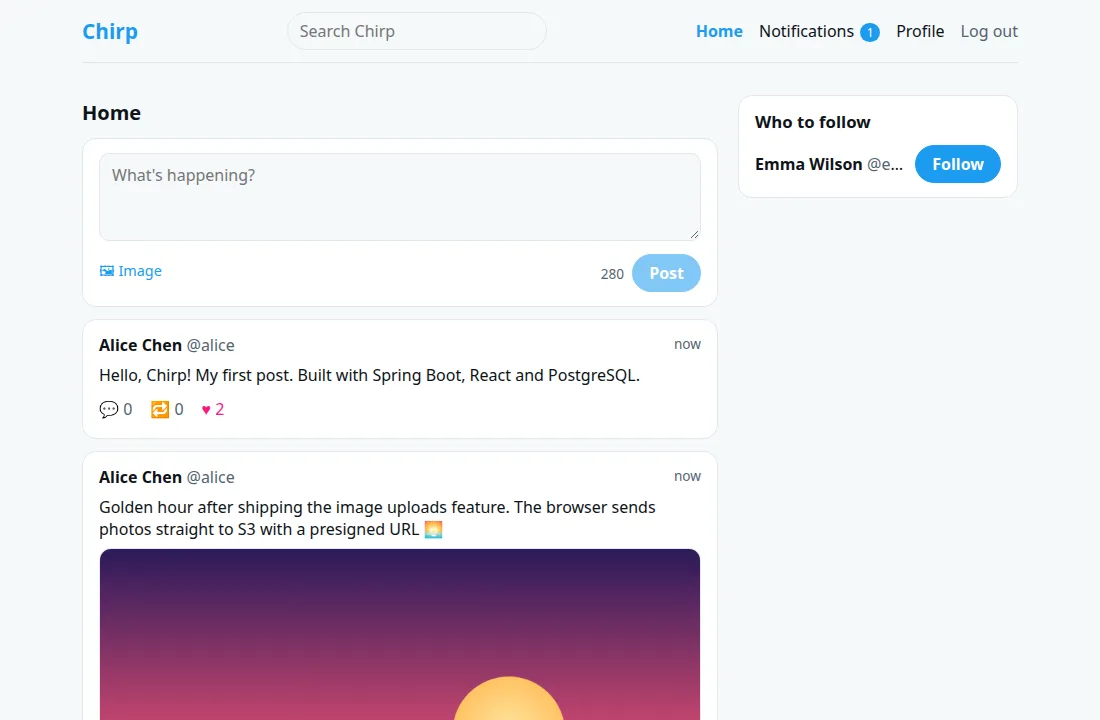
Layout uses the hook. It loads the unread count once, then replaces it with the unreadCount from every pushed message. While you're on the notifications page the badge is hidden. The page itself resets the count after marking everything read, through clearUnread, which Layout passes down with React Router's <Outlet context>. It's wrapped in useCallback so it's the same function on every render; otherwise the page's effect, which lists it as a dependency, would run again every time a message arrived. Layout also gets the search box from section 5.
import { useCallback, useEffect, useState } from 'react';
import { NavLink, Outlet, useLocation, useNavigate } from 'react-router';
import { getUnreadCount } from '../api/chirp.js';
import { useAuth } from '../auth/useAuth.js';
import { useNotificationSocket } from '../hooks/useNotificationSocket.js';
import WhoToFollow from './WhoToFollow.jsx';

export default function Layout() {
  const { user, signOut } = useAuth();
  const navigate = useNavigate();
  const onNotificationsPage = useLocation().pathname === '/notifications';
  const [unread, setUnread] = useState(0);
  const clearUnread = useCallback(() => setUnread(0), []);   // stable, so pages can use it in effects

  useEffect(() => {
    getUnreadCount().then((r) => setUnread(r.count)).catch(() => {});
  }, []);

  // Live: the server pushes { notification, unreadCount } the moment someone likes, replies or follows.
  useNotificationSocket((message) => setUnread(message.unreadCount));

  function handleSearch(event) {
    event.preventDefault();
    const q = new FormData(event.currentTarget).get('q').trim();
    if (q) navigate(`/search?q=${encodeURIComponent(q)}`);
  }

  return (
    <div className="layout">
      <header className="topbar">
        <NavLink to="/" className="brand">Chirp</NavLink>
        <form className="search" role="search" onSubmit={handleSearch}>
          <input name="q" type="search" placeholder="Search Chirp" aria-label="Search" />
        </form>
        <nav>
          <NavLink to="/" end>Home</NavLink>
          <NavLink to="/notifications">
            Notifications{unread > 0 && !onNotificationsPage && <span className="badge">{unread}</span>}
          </NavLink>
          <NavLink to={`/u/${user.username}`}>Profile</NavLink>
          <button type="button" className="link" onClick={signOut}>Log out</button>
        </nav>
      </header>
      <main className="main">
        {/* Pages can reach clearUnread with useOutletContext(). */}
        <Outlet context={{ clearUnread }} />
      </main>
      <aside className="sidebar">
        <WhoToFollow />
      </aside>
    </div>
  );
}
import { useEffect, useState } from 'react';
import { Link, useOutletContext } from 'react-router';
import { getNotifications, markNotificationsRead } from '../api/chirp.js';
import { timeAgo } from '../utils/timeAgo.js';
const TEXT = {
LIKE: 'liked your post',
REPOST: 'reposted your post',
COMMENT: 'replied to your post',
FOLLOW: 'followed you',
};
export default function NotificationsPage() {
const [items, setItems] = useState(null);
const { clearUnread } = useOutletContext(); // from Layout: resets the badge
useEffect(() => {
getNotifications()
.then((list) => {
setItems(list);
if (list.some((n) => !n.read)) markNotificationsRead().then(clearUnread);
})
.catch(() => setItems([]));
}, [clearUnread]);
if (!items) return <p className="muted center">Loading…</p>;
return (
<>
<h1 className="page-title">Notifications</h1>
{items.length === 0 && <p className="card muted">Nothing yet. Likes, replies and follows show up here.</p>}
{items.map((n) => (
<article key={n.id} className={n.read ? 'card note' : 'card note unread'}>
<Link to={`/u/${n.actor.username}`}><strong>{n.actor.displayName}</strong></Link>{' '}
{n.postId ? <Link to={`/posts/${n.postId}`}>{TEXT[n.type]}</Link> : TEXT[n.type]}
<span className="muted time">{timeAgo(n.createdAt)}</span>
</article>
))}
</>
);
}
4. Image uploads with S3 and presigned URLs
Images are big, and our API is built for small JSON messages. If uploads went through Spring Boot, every photo would tie up a server thread and memory for the whole upload, and then we'd have to send the bytes on to storage anyway. Instead we let the browser upload straight to S3. The API's only job is to hand out permission.
That permission is a presigned URL: an ordinary S3 URL with a signature in its query string. The signature is computed with our S3 credentials and covers the bucket, the key, the HTTP method, the content type, the size and an expiry time. Anyone holding the URL can do exactly that one upload, for five minutes, and nothing else. Change any signed detail and S3 rejects it. Creating the signature is pure maths on our server; it doesn't even contact S3.
- Alice picks a photo. The browser tells our API its type and size:
{"contentType":"image/png","size":48213}. - The API checks the type (JPEG, PNG, WebP or GIF) and size (5 MB at most), picks a random key under
uploads/<Alice's id>/, and signs a PUT for exactly that key, type and size, valid for 5 minutes. No network call. - It returns the signed URL, the key and the future public address of the image.
- The browser uploads the file straight to S3 with that URL. S3 checks the signature itself.
- The image is stored. The composer shows a preview.
- Alice presses Post. The post carries the key, not the image.
- The API checks the key really is one of Alice's uploads and saves the post with the image's public URL.
- Everyone who sees the post loads the image straight from S3 (or from a CDN in front of it). Our server isn't involved.
Configuring the presigner
Settings arrive through a @ConfigurationProperties record, like JwtProperties in chapter 4:
package com.example.chirp.upload;

import org.springframework.boot.context.properties.ConfigurationProperties;

/** app.s3.* from application.yml */
@ConfigurationProperties(prefix = "app.s3")
public record S3Properties(String bucket, String endpoint, String publicUrl, String region,
                           String accessKey, String secretKey) {
}
S3Config builds an S3Presigner from the AWS SDK for Java 2.x. Two branches deserve attention:
- Endpoint override. Locally we point the SDK at RustFS (
http://localhost:9000) and switch on path-style URLs (host/bucket/keyinstead ofbucket.host/key). Because presigning happens offline, the endpoint must be the address the browser will use, not one that only works inside Docker. - Credentials. With an access key in the settings (local dev) we use it directly. Without one, the SDK's default chain looks in environment variables,
~/.awsand, on AWS, the IAM role of the EC2 instance or ECS task. A role is the right choice in production: there's no long-lived key to leak.
package com.example.chirp.upload;

import java.net.URI;
import org.springframework.context.annotation.Bean;
import org.springframework.context.annotation.Configuration;
import software.amazon.awssdk.auth.credentials.AwsBasicCredentials;
import software.amazon.awssdk.auth.credentials.AwsCredentialsProvider;
import software.amazon.awssdk.auth.credentials.DefaultCredentialsProvider;
import software.amazon.awssdk.auth.credentials.StaticCredentialsProvider;
import software.amazon.awssdk.regions.Region;
import software.amazon.awssdk.services.s3.S3Configuration;
import software.amazon.awssdk.services.s3.presigner.S3Presigner;

@Configuration
public class S3Config {

    @Bean
    S3Presigner s3Presigner(S3Properties props) {
        S3Presigner.Builder builder = S3Presigner.builder()
                .region(Region.of(props.region()))
                .credentialsProvider(credentials(props));
        if (props.endpoint() != null && !props.endpoint().isBlank()) {
            // Local S3-compatible server (RustFS, LocalStack): http://localhost:9000/bucket/key style URLs.
            // Presigning happens offline, so this must be the address the BROWSER uses.
            builder.endpointOverride(URI.create(props.endpoint()))
                   .serviceConfiguration(S3Configuration.builder().pathStyleAccessEnabled(true).build());
        }
        return builder.build();
    }

    private static AwsCredentialsProvider credentials(S3Properties props) {
        if (props.accessKey() != null && !props.accessKey().isBlank()) {
            return StaticCredentialsProvider.create(AwsBasicCredentials.create(props.accessKey(), props.secretKey()));
        }
        // On AWS: environment variables, ~/.aws, or (best) the IAM role of the EC2 instance / ECS task.
        return DefaultCredentialsProvider.builder().build();
    }
}
UploadService: sign, then check ownership
Read presignImage as a list of distrust: the browser chooses nothing it shouldn't. The type must be one of four images, the size has a limit, the file name is ours (a random UUID, so nobody can overwrite another upload or plant ../ tricks), and the content type and length are part of the signature. imageUrlFor is called when the post is created: the key must start with this user's folder, so Bob can't attach Alice's upload to his post.
package com.example.chirp.upload;

import com.example.chirp.auth.AuthUser;
import java.time.Duration;
import java.util.Map;
import java.util.UUID;
import org.springframework.http.HttpStatus;
import org.springframework.stereotype.Service;
import org.springframework.web.server.ResponseStatusException;
import software.amazon.awssdk.services.s3.model.PutObjectRequest;
import software.amazon.awssdk.services.s3.presigner.S3Presigner;
import software.amazon.awssdk.services.s3.presigner.model.PresignedPutObjectRequest;

/**
 * Image uploads with presigned URLs: the file goes from the browser straight to S3.
 * Our server only signs a short-lived permission slip; it never handles the image bytes.
 */
@Service
public class UploadService {

    public static final long MAX_BYTES = 5 * 1024 * 1024;   // 5 MB
    private static final Map<String, String> EXTENSIONS = Map.of(
            "image/jpeg", "jpg", "image/png", "png", "image/webp", "webp", "image/gif", "gif");

    private final S3Presigner presigner;
    private final S3Properties props;

    public UploadService(S3Presigner presigner, S3Properties props) {
        this.presigner = presigner;
        this.props = props;
    }

    public UploadResponse presignImage(AuthUser me, UploadRequest request) {
        String extension = EXTENSIONS.get(request.contentType());
        if (extension == null) {
            throw new ResponseStatusException(HttpStatus.BAD_REQUEST, "Only JPEG, PNG, WebP and GIF images are allowed");
        }
        // Our own random name: never trust a file name from the browser. The user id in the path lets
        // us check later that people only attach their own uploads.
        String key = "uploads/" + me.id() + "/" + UUID.randomUUID() + "." + extension;

        PutObjectRequest put = PutObjectRequest.builder()
                .bucket(props.bucket())
                .key(key)
                .contentType(request.contentType())     // signed: the browser must send this exact type
                .contentLength(request.size())          // signed: and exactly this many bytes
                .build();
        PresignedPutObjectRequest presigned = presigner.presignPutObject(p -> p
                .signatureDuration(Duration.ofMinutes(5))
                .putObjectRequest(put));
        return new UploadResponse(presigned.url().toString(), key, publicUrl(key));
    }

    /** Turns an uploaded key into the URL saved on the post, after checking it belongs to this user. */
    public String imageUrlFor(AuthUser me, String key) {
        if (key == null) {
            return null;
        }
        if (!key.startsWith("uploads/" + me.id() + "/")) {
            throw new ResponseStatusException(HttpStatus.FORBIDDEN, "That image belongs to someone else");
        }
        return publicUrl(key);
    }

    private String publicUrl(String key) {
        return props.publicUrl().replaceAll("/+$", "") + "/" + key;
    }
}
package com.example.chirp.upload;
import jakarta.validation.constraints.Max;
import jakarta.validation.constraints.NotBlank;
import jakarta.validation.constraints.Positive;
public record UploadRequest(
@NotBlank String contentType,
@Positive @Max(UploadService.MAX_BYTES) long size) {
}package com.example.chirp.upload;
/**
* uploadUrl: where the browser PUTs the file (valid for 5 minutes).
* key: what the browser sends back as imageKey when it creates the post.
* imageUrl: where the image can be viewed once uploaded.
*/
public record UploadResponse(String uploadUrl, String key, String imageUrl) {
}package com.example.chirp.upload;
import com.example.chirp.auth.AuthUser;
import jakarta.validation.Valid;
import org.springframework.security.core.annotation.AuthenticationPrincipal;
import org.springframework.web.bind.annotation.PostMapping;
import org.springframework.web.bind.annotation.RequestBody;
import org.springframework.web.bind.annotation.RestController;
@RestController
public class UploadController {
private final UploadService uploadService;
public UploadController(UploadService uploadService) {
this.uploadService = uploadService;
}
@PostMapping("/api/uploads/images")
public UploadResponse presign(@AuthenticationPrincipal AuthUser me, @Valid @RequestBody UploadRequest request) {
return uploadService.presignImage(me, request);
}
}CreatePostRequest gains an optional imageKey. The regular expression accepts only keys shaped like ours, which rejects junk before any code runs:
package com.example.chirp.post;

import jakarta.validation.constraints.NotBlank;
import jakarta.validation.constraints.Pattern;
import jakarta.validation.constraints.Size;

public record CreatePostRequest(
        @NotBlank @Size(max = 280)
        String content,

        // Optional: the S3 key returned by POST /api/uploads/images, e.g. "uploads/7/3f2c….png"
        @Pattern(regexp = "^uploads/\\d+/[0-9a-f-]{36}\\.(jpg|png|webp|gif)$", message = "is not a valid upload key")
        String imageKey) {
}
Simplified: we don't check that the upload happened
A user could request a URL, never upload, and create a post with that key; the image would just be missing. A production system would check the object exists (an S3 HeadObject call) before saving the post, scan or resize images in a background job, and delete uploads that were never attached to a post (an S3 lifecycle rule can do that).
Ask for an upload URL with a token from chapter 4:
curl -s -X POST http://localhost:8080/api/uploads/images \
  -H "Authorization: Bearer $TOKEN" -H 'Content-Type: application/json' \
  -d '{"contentType":"image/png","size":48213}'
{
"uploadUrl": "http://localhost:19000/chirp-uploads/uploads/6/b48cba2d-3fdd-41c6-adbb-652231c4c052.png?X-Amz-Algorithm=AWS4-HMAC-SHA256&X-Amz-Date=20261105T164830Z&X-Amz-SignedHeaders=content-length%3Bcontent-type%3Bhost&X-Amz-Credential=chirp%2F20261105%2Fus-east-1%2Fs3%2Faws4_request&X-Amz-Expires=300&X-Amz-Signature=d5407ac414dea075a102d07d912f02f5317485dc0734803cd78a66b3a410f57d",
"key": "uploads/6/b48cba2d-3fdd-41c6-adbb-652231c4c052.png",
"imageUrl": "http://localhost:19000/chirp-uploads/uploads/6/b48cba2d-3fdd-41c6-adbb-652231c4c052.png"
}Look at the query string: X-Amz-SignedHeaders=content-length;content-type;host lists exactly what the signature locks down, and X-Amz-Expires=300 is our five minutes. Uploading the same file with a different Content-Type breaks the signature; our advanced API test checks that S3 refuses it with 403.
The frontend: upload first, post second
The upload helper does the two steps from the animation. Note there's no Authorization header on the PUT to S3: the signature in the URL is the permission, and S3 doesn't know our JWTs.
import { presignImageUpload } from './chirp.js';

export const MAX_IMAGE_BYTES = 5 * 1024 * 1024;

/**
 * 1. ask our backend for a presigned URL,  2. PUT the file straight to S3.
 * Returns { key, imageUrl }. Send the key with the post; S3 already has the image.
 */
export async function uploadImage(file) {
  if (file.size > MAX_IMAGE_BYTES) throw new Error('Images must be 5 MB or smaller');
  const { uploadUrl, key, imageUrl } = await presignImageUpload(file);

  // No Authorization header here: the signature in the URL is the permission.
  const response = await fetch(uploadUrl, {
    method: 'PUT',
    headers: { 'Content-Type': file.type },
    body: file,
  });
  if (!response.ok) throw new Error(`Upload failed (HTTP ${response.status})`);
  return { key, imageUrl };
}
The composer uploads as soon as a file is picked, so the post itself is instant. URL.createObjectURL(file) shows a preview from the file on disk without waiting for S3, and revokeObjectURL frees it again. The Post button is disabled while an upload is running.
import { useState } from 'react';
import { createPost } from '../api/chirp.js';
import { uploadImage } from '../api/uploads.js';

const MAX = 280;

export default function PostComposer({ onPosted }) {
  const [content, setContent] = useState('');
  const [image, setImage] = useState(null);        // { key, previewUrl } once uploaded
  const [uploading, setUploading] = useState(false);
  const [error, setError] = useState('');
  const [sending, setSending] = useState(false);
  const left = MAX - content.length;

  async function handleFile(event) {
    const file = event.target.files[0];
    event.target.value = '';                        // lets you pick the same file again
    if (!file) return;
    setUploading(true);
    setError('');
    try {
      const { key } = await uploadImage(file);      // straight to S3, before the post exists
      setImage({ key, previewUrl: URL.createObjectURL(file) });
    } catch (err) {
      setError(err.message);
    } finally {
      setUploading(false);
    }
  }

  function removeImage() {
    URL.revokeObjectURL(image.previewUrl);
    setImage(null);
  }

  async function handleSubmit(event) {
    event.preventDefault();
    setSending(true);
    setError('');
    try {
      const post = await createPost(content, image?.key);
      onPosted(post);
      setContent('');
      if (image) removeImage();
    } catch (err) {
      setError(err.message);
    } finally {
      setSending(false);
    }
  }

  return (
    <form className="card composer" onSubmit={handleSubmit}>
      <textarea
        value={content}
        onChange={(e) => setContent(e.target.value)}
        placeholder="What's happening?"
        maxLength={MAX}
        rows={3}
        aria-label="Write a post"
      />
      {image && (
        <div className="preview">
          <img src={image.previewUrl} alt="Selected" />
          <button type="button" className="btn" onClick={removeImage}>Remove</button>
        </div>
      )}
      <div className="composer-bar">
        <label className="attach">
          {uploading ? 'Uploading…' : '🖼 Image'}
          <input type="file" accept="image/jpeg,image/png,image/webp,image/gif" onChange={handleFile}
                 disabled={uploading} hidden />
        </label>
        <span className={left < 20 ? 'count warn' : 'count'}>{left}</span>
        <button type="submit" className="btn primary" disabled={sending || uploading || content.trim() === ''}>
          {sending ? 'Posting…' : 'Post'}
        </button>
      </div>
      {error && <p className="error">{error}</p>}
    </form>
  );
}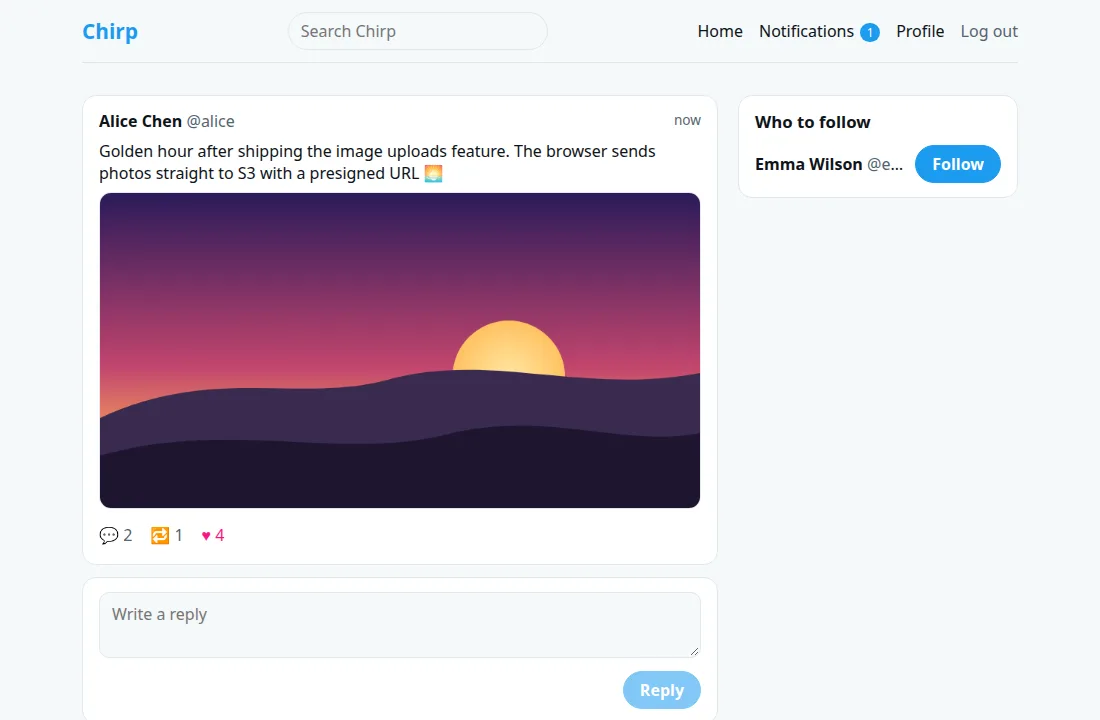
In production: S3 + CloudFront
On AWS, create the bucket with Block Public Access left on, put a CloudFront distribution in front of it, and let only CloudFront read it (origin access control). Set S3_PUBLIC_URL to the CloudFront address, so images are served from the CDN, close to each visitor, and cached. Leave S3_ENDPOINT empty so the SDK talks to real S3, and give the backend an IAM role allowed to s3:PutObject on uploads/* only. If you've read how this website itself is hosted, it's the same S3 + CloudFront idea.
5. Search with PostgreSQL full-text search
The obvious search is WHERE content ILIKE '%sunset%'. It works on a few hundred posts, but has two problems: an ordinary index can't help a pattern that starts with %, so every search reads every post; and it only finds the exact letters, so "sunsets" doesn't find "sunset". PostgreSQL has a proper search engine built in, called full-text search.
to_tsvector('english', text)turns text into a list of normalised words (lexemes): lower case, common words like "the" and "at" dropped, and words reduced to their stem, so "mountains" becomes "mountain".websearch_to_tsquery('english', 'what the user typed')turns a search box string into a query the same way, and understands quotes,orand-wordlike a web search engine.@@asks "does this document match this query?".
Here's what PostgreSQL 18 really does with our test post and a few searches:
docker compose exec postgres psql -U chirp -d chirpSELECT to_tsvector('english', 'Look at this sunset over the mountains');
SELECT websearch_to_tsquery('english', 'sunsets');
SELECT to_tsvector('english', 'Look at this sunset over the mountains')
@@ websearch_to_tsquery('english', 'sunsets') AS matches;
SELECT websearch_to_tsquery('english', 'spring boot -kafka');
SELECT websearch_to_tsquery('english', '"spring boot" or react'); to_tsvector
----------------------------------
'look':1 'mountain':7 'sunset':4
websearch_to_tsquery
----------------------
'sunset'
matches
---------
t
websearch_to_tsquery
------------------------------
'spring' & 'boot' & !'kafka'
websearch_to_tsquery
-------------------------------
'spring' <-> 'boot' | 'react'"sunsets" became 'sunset', which matches. The numbers in the vector are word positions, which is how a quoted phrase (<->, "followed by") can be checked.
A new migration for the indexes
Computing to_tsvector for every post on every search would be as slow as ILIKE. A GIN index (generalised inverted index) stores, for each word, the posts that contain it, like the index at the back of a book. We index the expression to_tsvector('english', content) directly, so we don't need an extra column.
For people we search usernames that start with the text. A normal index can serve LIKE 'ali%' only if it was created with text_pattern_ops (or the database uses the C collation), so we add one.
Both go in a new file, V2__search_indexes.sql. Flyway has already run V1 on your database and recorded a checksum of it; editing V1 now would make Flyway refuse to start. New changes always go in a new, higher-numbered file, which Flyway runs once on the next start.
-- V2: indexes for search (chapter 6). Never edit V1 after it has run: add a new file instead.

-- Full-text search over post content. The expression must match the one in the query exactly.
CREATE INDEX posts_content_search_idx ON posts USING GIN (to_tsvector('english', content));

-- "Usernames starting with ..." (LIKE 'ali%'). text_pattern_ops makes LIKE prefix searches use the index.
CREATE INDEX users_username_prefix_idx ON users (username text_pattern_ops);
On the next start, the log shows the new migration:
o.f.core.internal.command.DbMigrate      : Migrating schema "public" to version "2 - search indexes"
o.f.core.internal.command.DbMigrate      : Successfully applied 1 migration to schema "public", now at version v2
The queries
In PostRepository the new searchIds query uses exactly the indexed expression, to_tsvector('english', p.content). If the query said to_tsvector(p.content) (no language) or 'simple', PostgreSQL couldn't use the index and would quietly fall back to reading every row.
package com.example.chirp.post;

import java.util.Collection;
import java.util.List;
import java.util.Optional;
import org.springframework.data.domain.Limit;
import org.springframework.data.jpa.repository.JpaRepository;
import org.springframework.data.jpa.repository.Modifying;
import org.springframework.data.jpa.repository.Query;

public interface PostRepository extends JpaRepository<Post, Long> {

    // JOIN FETCH loads each post's author in the same query (no N+1 problem).
    @Query("SELECT p FROM Post p JOIN FETCH p.author WHERE p.id = :id")
    Optional<Post> findWithAuthorById(long id);

    @Query("SELECT p FROM Post p JOIN FETCH p.author WHERE p.id IN :ids ORDER BY p.id DESC")
    List<Post> findAllWithAuthorByIdIn(Collection<Long> ids);

    /** One page of a user's posts, newest first, older than the cursor. */
    @Query("SELECT p FROM Post p JOIN FETCH p.author WHERE p.author.id = :authorId AND p.id < :cursor ORDER BY p.id DESC")
    List<Post> findByAuthorBefore(long authorId, long cursor, Limit limit);

    /** The home feed: ids of my posts and posts by people I follow, newest first. */
    @Query(value = """
            SELECT p.id FROM posts p
            WHERE p.id < :cursor
              AND (p.author_id = :userId
                   OR p.author_id IN (SELECT f.followee_id FROM follows f WHERE f.follower_id = :userId))
            ORDER BY p.id DESC
            LIMIT :limit
            """, nativeQuery = true)
    List<Long> findFeedIds(long userId, long cursor, int limit);

    long countByAuthorId(long authorId);

    /** Full-text search. The to_tsvector(...) expression matches the GIN index in V2 exactly. */
    @Query(value = """
            SELECT p.id FROM posts p
            WHERE to_tsvector('english', p.content) @@ websearch_to_tsquery('english', :query)
            ORDER BY p.id DESC
            LIMIT :limit
            """, nativeQuery = true)
    List<Long> searchIds(String query, int limit);

    // Atomic counter updates: the database adds to the current value, so two
    // likes arriving at the same moment are both counted.
    @Modifying
    @Query(value = "UPDATE posts SET like_count = like_count + :delta WHERE id = :id", nativeQuery = true)
    void addToLikeCount(long id, int delta);

    @Modifying
    @Query(value = "UPDATE posts SET repost_count = repost_count + :delta WHERE id = :id", nativeQuery = true)
    void addToRepostCount(long id, int delta);

    @Modifying
    @Query(value = "UPDATE posts SET comment_count = comment_count + :delta WHERE id = :id", nativeQuery = true)
    void addToCommentCount(long id, int delta);

    @Query(value = "SELECT like_count FROM posts WHERE id = :id", nativeQuery = true)
    int findLikeCount(long id);

    @Query(value = "SELECT repost_count FROM posts WHERE id = :id", nativeQuery = true)
    int findRepostCount(long id);
}
In UserRepository, the new prefix search ends with ESCAPE '\', which says that a backslash in the pattern means "the next character is literal".
package com.example.chirp.user;

import java.util.List;
import java.util.Optional;
import org.springframework.data.jpa.repository.JpaRepository;
import org.springframework.data.jpa.repository.Query;

public interface UserRepository extends JpaRepository<User, Long> {

    // Spring Data writes these queries from the method names.
    Optional<User> findByUsername(String username);

    boolean existsByUsername(String username);

    boolean existsByEmail(String email);

    /** Newest users that `me` does not follow yet: "Who to follow". */
    @Query(value = """
            SELECT u.* FROM users u
            WHERE u.id <> :me
              AND NOT EXISTS (SELECT 1 FROM follows f WHERE f.follower_id = :me AND f.followee_id = u.id)
            ORDER BY u.id DESC
            LIMIT :limit
            """, nativeQuery = true)
    List<User> findSuggestions(long me, int limit);

    /** Search: usernames starting with a prefix (uses users_username_prefix_idx from V2). */
    @Query(value = "SELECT * FROM users WHERE username LIKE :prefix ESCAPE '\\' ORDER BY username LIMIT :limit",
           nativeQuery = true)
    List<User> searchByUsernamePrefix(String prefix, int limit);
}
SearchService does both searches. Look at the line that builds prefix: in LIKE, % means "anything" and _ means "any one character". Usernames may contain underscores, so a search for a_b would otherwise also match axb, and a search for % would match everyone. We escape them, then add our own % at the end. The bind parameter already prevents SQL injection; escaping prevents wildcard surprises.
package com.example.chirp.search;

import com.example.chirp.auth.AuthUser;
import com.example.chirp.post.Post;
import com.example.chirp.post.PostRepository;
import com.example.chirp.post.PostService;
import com.example.chirp.user.UserRepository;
import com.example.chirp.user.UserSummary;
import java.util.List;
import java.util.Locale;
import org.springframework.stereotype.Service;
import org.springframework.transaction.annotation.Transactional;

@Service
public class SearchService {

    private final UserRepository users;
    private final PostRepository posts;
    private final PostService postService;

    public SearchService(UserRepository users, PostRepository posts, PostService postService) {
        this.users = users;
        this.posts = posts;
        this.postService = postService;
    }

    @Transactional(readOnly = true)
    public SearchResponse search(AuthUser me, String query) {
        String q = query == null ? "" : query.strip();
        if (q.isEmpty() || q.length() > 100) {
            return new SearchResponse(List.of(), List.of());
        }
        // People: usernames that START with the text. Escape LIKE's wildcards so "a_b" means a_b, not a?b.
        String prefix = q.toLowerCase(Locale.ROOT).replace("\\", "\\\\").replace("%", "\\%").replace("_", "\\_") + "%";
        List<UserSummary> people = users.searchByUsernamePrefix(prefix, 5).stream().map(UserSummary::from).toList();

        // Posts: PostgreSQL full-text search ("running" also finds "run"), newest first.
        List<Long> ids = posts.searchIds(q, 20);
        List<Post> found = ids.isEmpty() ? List.of() : posts.findAllWithAuthorByIdIn(ids);
        return new SearchResponse(people, postService.toResponses(me, found));
    }
}
package com.example.chirp.search;
import com.example.chirp.post.PostResponse;
import com.example.chirp.user.UserSummary;
import java.util.List;
public record SearchResponse(List<UserSummary> users, List<PostResponse> posts) {
}package com.example.chirp.search;
import com.example.chirp.auth.AuthUser;
import org.springframework.security.core.annotation.AuthenticationPrincipal;
import org.springframework.web.bind.annotation.GetMapping;
import org.springframework.web.bind.annotation.RequestParam;
import org.springframework.web.bind.annotation.RestController;
@RestController
public class SearchController {
private final SearchService searchService;
public SearchController(SearchService searchService) {
this.searchService = searchService;
}
/** GET /api/search?q=spring boot */
@GetMapping("/api/search")
public SearchResponse search(@AuthenticationPrincipal AuthUser me, @RequestParam(defaultValue = "") String q) {
return searchService.search(me, q);
}
}The search page
Typing spring, then spring boot, sends two searches. If the first answer arrives last, the page would show results for the wrong query. Here an AbortController cancels the older request when q changes: the browser drops it, fetch rejects with an AbortError, which we ignore. To make that possible, api() in client.js now accepts a signal and passes it to fetch:
// One place that knows how to talk to the backend: adds the token, sends JSON,
// and turns error responses into exceptions with a readable message.

const TOKEN_KEY = 'chirp.token';

export function getToken() {
  return localStorage.getItem(TOKEN_KEY);
}

export function setToken(token) {
  if (token) localStorage.setItem(TOKEN_KEY, token);
  else localStorage.removeItem(TOKEN_KEY);
}

export class ApiError extends Error {
  constructor(status, problem) {
    super(problem?.detail || `Request failed (HTTP ${status})`);
    this.status = status;
    this.fieldErrors = problem?.errors ?? {};   // { username: "3 to 30 letters…" } from @Valid
  }
}

export async function api(path, { method = 'GET', body, signal } = {}) {
  const headers = {};
  const token = getToken();
  if (token) headers.Authorization = `Bearer ${token}`;
  if (body !== undefined) headers['Content-Type'] = 'application/json';

  const response = await fetch(`/api${path}`, {
    method,
    headers,
    body: body === undefined ? undefined : JSON.stringify(body),
    signal,                                     // lets a component cancel a request it no longer needs
  });

  if (response.status === 401 && token) {
    // The saved token expired or is invalid: forget it and let the app show the login page.
    setToken(null);
    window.dispatchEvent(new Event('chirp:logout'));
  }
  if (!response.ok) {
    const problem = await response.json().catch(() => null);
    throw new ApiError(response.status, problem);
  }
  return response.status === 204 ? null : response.json();
}
chirp.js gains the new endpoints: createPost with an optional image key, the unread count, search and the upload presign:
import { api } from './client.js';

// Every backend endpoint the app uses, in one list.
const query = (params) => {
  const search = new URLSearchParams();
  Object.entries(params).forEach(([key, value]) => value != null && search.set(key, value));
  const text = search.toString();
  return text ? `?${text}` : '';
};

export const register = (form) => api('/auth/register', { method: 'POST', body: form });
export const login = (form) => api('/auth/login', { method: 'POST', body: form });
export const getMe = () => api('/auth/me');

export const getFeed = (cursor) => api(`/feed${query({ cursor })}`);
export const createPost = (content, imageKey) => api('/posts', { method: 'POST', body: { content, imageKey } });
export const getPost = (id) => api(`/posts/${id}`);
export const deletePost = (id) => api(`/posts/${id}`, { method: 'DELETE' });
export const setLiked = (id, liked) => api(`/posts/${id}/like`, { method: liked ? 'POST' : 'DELETE' });
export const setReposted = (id, reposted) => api(`/posts/${id}/repost`, { method: reposted ? 'POST' : 'DELETE' });

export const getComments = (postId, page = 0) => api(`/posts/${postId}/comments${query({ page })}`);
export const addComment = (postId, content) =>
  api(`/posts/${postId}/comments`, { method: 'POST', body: { content } });

export const getProfile = (username) => api(`/users/${encodeURIComponent(username)}`);
export const getUserPosts = (username, cursor) => api(`/users/${encodeURIComponent(username)}/posts${query({ cursor })}`);
export const setFollowing = (username, follow) =>
  api(`/users/${encodeURIComponent(username)}/follow`, { method: follow ? 'POST' : 'DELETE' });
export const getSuggestions = () => api('/users/suggestions');

export const getNotifications = () => api('/notifications');
export const getUnreadCount = () => api('/notifications/unread-count');
export const markNotificationsRead = () => api('/notifications/read', { method: 'POST' });

export const search = (q, signal) => api(`/search${query({ q })}`, { signal });
export const presignImageUpload = (file) =>
  api('/uploads/images', { method: 'POST', body: { contentType: file.type, size: file.size } });
import { useEffect, useState } from 'react';
import { Link, useSearchParams } from 'react-router';
import { search } from '../api/chirp.js';
import PostCard from '../components/PostCard.jsx';
export default function SearchPage() {
const [params] = useSearchParams();
const q = params.get('q') ?? '';
const [result, setResult] = useState(null);
useEffect(() => {
const controller = new AbortController();
search(q, controller.signal)
.then(setResult)
.catch((err) => err.name !== 'AbortError' && setResult({ users: [], posts: [] }));
// A new search (q changed) or leaving the page cancels this request in the browser.
return () => controller.abort();
}, [q]);
if (!result) return <p className="muted center">Searching…</p>;
const replace = (post) => setResult((r) => ({ ...r, posts: r.posts.map((p) => (p.id === post.id ? post : p)) }));
const remove = (id) => setResult((r) => ({ ...r, posts: r.posts.filter((p) => p.id !== id) }));
return (
<>
<h1 className="page-title">Results for “{q}”</h1>
{result.users.length > 0 && (
<section className="card">
<h2>People</h2>
<ul className="people">
{result.users.map((u) => (
<li key={u.id}>
<Link to={`/u/${u.username}`}>
<strong>{u.displayName}</strong> <span className="muted">@{u.username}</span>
</Link>
</li>
))}
</ul>
</section>
)}
{result.posts.map((post) => (
<PostCard key={post.id} post={post} onChange={replace} onDelete={remove} />
))}
{result.users.length === 0 && result.posts.length === 0 && <p className="card muted">Nothing found.</p>}
</>
);
}Add the route in App.jsx (inside the logged-in layout):
import { Navigate, Route, Routes } from 'react-router';
import Layout from './components/Layout.jsx';
import { useAuth } from './auth/useAuth.js';
import FeedPage from './pages/FeedPage.jsx';
import LoginPage from './pages/LoginPage.jsx';
import NotificationsPage from './pages/NotificationsPage.jsx';
import PostPage from './pages/PostPage.jsx';
import ProfilePage from './pages/ProfilePage.jsx';
import RegisterPage from './pages/RegisterPage.jsx';
import SearchPage from './pages/SearchPage.jsx';

export default function App() {
  const { user, checking } = useAuth();

  if (checking) {
    return <p className="center muted">Loading…</p>;
  }

  return (
    <Routes>
      {/* Logged-in users have no reason to see the login or register pages. */}
      <Route path="/login" element={user ? <Navigate to="/" replace /> : <LoginPage />} />
      <Route path="/register" element={user ? <Navigate to="/" replace /> : <RegisterPage />} />

      {/* Everything inside needs a logged-in user, and shares the Layout (nav + sidebar). */}
      <Route element={user ? <Layout /> : <Navigate to="/login" replace />}>
        <Route path="/" element={<FeedPage />} />
        <Route path="/u/:username" element={<ProfilePage />} />
        <Route path="/posts/:id" element={<PostPage />} />
        <Route path="/notifications" element={<NotificationsPage />} />
        <Route path="/search" element={<SearchPage />} />
      </Route>

      <Route path="*" element={<Navigate to="/" replace />} />
    </Routes>
  );
}
And the new styles for the search box, the badge and the image picker, appended to styles.css:
/* Chapter 6: search box, unread badge, image upload */
.search { flex: 1; max-width: 260px; }
.search input { padding: 7px 12px; border-radius: 999px; }
.badge {
  display: inline-block;
  min-width: 20px;
  margin-left: 6px;
  padding: 1px 6px;
  border-radius: 999px;
  background: var(--accent);
  color: var(--accent-text);
  font-size: 0.75rem;
  text-align: center;
}
.attach { display: inline-block; cursor: pointer; color: var(--accent); font-size: 0.9rem; }
.composer-bar .count { margin-left: auto; }
.preview { display: flex; align-items: flex-start; gap: 8px; margin-top: 8px; }
.preview img { max-width: 160px; max-height: 120px; border-radius: 10px; border: 1px solid var(--line); }
When is PostgreSQL search not enough?
PostgreSQL full-text search is a good fit well beyond an MVP. Teams move search to a dedicated engine such as OpenSearch or Elasticsearch when they need relevance tuning across many fields, typo tolerance, autocomplete as you type, trending terms, or search traffic big enough that it shouldn't compete with the main database. That adds a second copy of the data to keep in sync (usually through events or change data capture), so it's a decision to make with evidence, not on day one.
6. Check that everything works
Restart the backend (./mvnw spring-boot:run -Dspring-boot.run.profiles=dev) and the frontend (npm run dev), then try each feature in two browser windows logged in as different users: follow, post, watch the badge, upload a photo, search. To check the API on its own, the project includes a second test script next to api-test.sh; chapter 8 explains how these scripts are built. It uploads a real file through a presigned URL, tries the attacks we defended against, searches, and checks the profile cache is evicted:
#!/usr/bin/env bash
# Chapter 6 features: image upload through a presigned S3 URL, search, profile cache.
# Usage:  ./api-test-advanced.sh [base URL, default http://localhost:8080]
set -euo pipefail
BASE="${1:-http://localhost:8080}"
RUN=$(date +%s | tail -c 6)
json() { curl -s -H 'Content-Type: application/json' "$@"; }

TOKEN=$(json -X POST "$BASE/api/auth/register" -d "{\"username\":\"carol_$RUN\",\"email\":\"carol_$RUN@example.com\",\"password\":\"correct-horse-3\",\"displayName\":\"Carol\"}" | jq -r .token)
AUTH=(-H "Authorization: Bearer $TOKEN")

# 1. Ask our API for a presigned upload URL
printf '\x89PNG\r\n\x1a\nfake-image-bytes' > /tmp/chirp-test.png
SIZE=$(wc -c < /tmp/chirp-test.png | tr -d ' ')
UPLOAD=$(json "${AUTH[@]}" -X POST "$BASE/api/uploads/images" -d "{\"contentType\":\"image/png\",\"size\":$SIZE}")
URL=$(echo "$UPLOAD" | jq -r .uploadUrl); KEY=$(echo "$UPLOAD" | jq -r .key); IMAGE=$(echo "$UPLOAD" | jq -r .imageUrl)
[[ $KEY == uploads/*/*.png ]] || { echo "FAIL  presign: $UPLOAD"; exit 1; }
echo "ok    presigned URL for $KEY"

# 2. PUT the file straight to S3 (our server never sees the bytes)
status=$(curl -s -o /dev/null -w '%{http_code}' -X PUT -H 'Content-Type: image/png' --data-binary @/tmp/chirp-test.png "$URL")
[[ $status == 200 ]] || { echo "FAIL  S3 PUT answered $status"; exit 1; }
echo "ok    uploaded to S3 ($status)"
status=$(curl -s -o /dev/null -w '%{http_code}' -X PUT -H 'Content-Type: image/gif' --data-binary @/tmp/chirp-test.png "$URL")
[[ $status == 403 ]] || { echo "FAIL  a different Content-Type must break the signature, got $status"; exit 1; }
echo "ok    S3 rejects a PUT that doesn't match the signature ($status)"

# 3. Create a post that uses the image, then fetch the image anonymously
POST=$(json "${AUTH[@]}" -X POST "$BASE/api/posts" -d "{\"content\":\"Look at this sunset over the mountains\",\"imageKey\":\"$KEY\"}")
[[ $(echo "$POST" | jq -r .imageUrl) == "$IMAGE" ]] || { echo "FAIL  post imageUrl: $POST"; exit 1; }
[[ $(curl -s -o /dev/null -w '%{http_code}' "$IMAGE") == 200 ]] || { echo "FAIL  image not readable at $IMAGE"; exit 1; }
echo "ok    post has the image and anyone can view it"

status=$(json "${AUTH[@]}" -o /dev/null -w '%{http_code}' -X POST "$BASE/api/posts" -d '{"content":"stolen","imageKey":"uploads/999999/00000000-0000-0000-0000-000000000000.png"}')
[[ $status == 403 ]] || { echo "FAIL  someone else's key must be refused, got $status"; exit 1; }
echo "ok    cannot attach another user's upload (403)"
status=$(json "${AUTH[@]}" -o /dev/null -w '%{http_code}' -X POST "$BASE/api/uploads/images" -d '{"contentType":"application/pdf","size":100}')
[[ $status == 400 ]] || { echo "FAIL  PDF must be refused, got $status"; exit 1; }
echo "ok    only images can be uploaded (400)"

# 4. Search: full-text finds "sunsets" for "sunset", usernames by prefix
R=$(curl -s "${AUTH[@]}" "$BASE/api/search?q=sunsets")
[[ $(echo "$R" | jq '.posts | length') -ge 1 ]] || { echo "FAIL  full-text search: $R"; exit 1; }
echo "ok    full-text search: 'sunsets' finds 'sunset'"
R=$(curl -s "${AUTH[@]}" "$BASE/api/search?q=CAROL_$RUN")
[[ $(echo "$R" | jq -r '.users[0].username') == "carol_$RUN" ]] || { echo "FAIL  user search: $R"; exit 1; }
echo "ok    user search by username prefix"

# 5. Profile cache: the second read comes from Redis, and a new post refreshes the count
P1=$(curl -s "${AUTH[@]}" "$BASE/api/users/carol_$RUN" | jq .postCount)
json "${AUTH[@]}" -X POST "$BASE/api/posts" -d '{"content":"another one"}' > /dev/null
sleep 0.3
P2=$(curl -s "${AUTH[@]}" "$BASE/api/users/carol_$RUN" | jq .postCount)
[[ $P2 == $((P1 + 1)) ]] || { echo "FAIL  cached profile was not refreshed ($P1 -> $P2)"; exit 1; }
echo "ok    profile cache is evicted when the post count changes ($P1 -> $P2)"
echo "Advanced checks passed."
./api-test-advanced.sh http://localhost:8080ok presigned URL for uploads/3/0ab963f1-aaf5-4cd3-91f8-c5fa7f784f3c.png
ok uploaded to S3 (200)
ok S3 rejects a PUT that doesn't match the signature (403)
ok post has the image and anyone can view it
ok cannot attach another user's upload (403)
ok only images can be uploaded (400)
ok full-text search: 'sunsets' finds 'sunset'
ok user search by username prefix
ok profile cache is evicted when the post count changes (1 -> 2)
Advanced checks passed.The chapter 4 script, ./api-test.sh, should still pass all 25 checks: none of these features changed the API's behaviour, only how fast and how live it is.
Common mistakes
Caching data that depends on who is asking
Caching the whole profile response, including followedByMe, shows one viewer's answer to everybody.
Fix: cache only what is the same for everyone (ProfileCard), and compute viewer-specific parts per request, or put the viewer's id in the cache key.
Evicting before the transaction commits
Another request can re-cache the old data between your eviction and your commit, and it then stays wrong until the TTL expires.
Fix: evict after commit (AfterCommit.run or @TransactionalEventListener), and keep a TTL as a safety net.
Treating Redis as the only copy of the data
Redis keeps data in memory; a restart or an eviction under memory pressure can lose keys. If timelines were the only record of who sees what, a restart would empty everyone's feed.
Fix: PostgreSQL stays the source of truth; everything in Redis can be rebuilt from it, as TimelineService.rebuild does.
An error from Redis breaks the page
If every Redis call can throw, a cache outage becomes a site outage.
Fix: catch DataAccessException around cache calls and fall back to the database, as ProfileCache and FeedService do.
Fanning out inside the transaction
Pushing the new post id into timelines before the commit means a rollback leaves ids for posts that never existed, and the author's request waits for every follower.
Fix: publish an event; handle it with @TransactionalEventListener (after commit) plus @Async (in the background).
@Async or @Cacheable "does nothing"
Calling an annotated method from another method in the same class skips Spring's proxy, so it runs synchronously or uncached, with no error. Forgetting @EnableAsync has the same effect.
Fix: put the annotated method in a separate bean (our listener lives in TimelineService, the publisher in PostService), and enable async once in a configuration class.
The WebSocket works locally but not behind the proxy
Proxies speak plain HTTP by default and drop the Upgrade header, so the handshake fails. Another variant: the proxy rewrites Host without the port, Spring's same-origin check sees a different origin, and answers 403.
Fix: in Vite use ws: true; in nginx forward Upgrade/Connection with HTTP/1.1 and pass the original Host including the port (chapter 8 shows the exact nginx settings).
Logging the WebSocket URL
Access logs that record /ws?token=eyJ… store working credentials.
Fix: keep tokens short-lived, strip query strings from logs, or use a single-use ticket instead of the JWT in the URL.
Making the whole bucket public, or listable
A policy with "Resource": "arn:aws:s3:::chirp-uploads/*" plus s3:ListBucket lets anyone download a list of every file, including ones never attached to a public post.
Fix: allow only s3:GetObject on uploads/*, or better, keep the bucket private and serve it through CloudFront.
The browser blocks the upload with a CORS error
When the page's origin isn't in the bucket's CORS rules, the browser's preflight check fails and the PUT never happens. This is the exact error we got when we ran the dev server on port 5199, which cors.json doesn't list:
Access to fetch at 'http://localhost:19000/chirp-uploads/uploads/4/16b256c9-0d89-494b-b700-de266cf5f049.png?X-Amz-Algorithm=AWS4-HMAC-SHA256&…' from origin 'http://localhost:5199' has been blocked by CORS policy: Response to preflight request doesn't pass access control check: No 'Access-Control-Allow-Origin' header is present on the requested resource.Fix: add the origin your page is served from (scheme, host and port) to AllowedOrigins and run docker compose up s3-init again (or aws s3api put-bucket-cors on real S3).
Trusting the browser's file name and type
Using the uploaded file name as the S3 key lets users overwrite each other's files or choose misleading names; accepting any type lets people host HTML or executables on your domain.
Fix: generate the key yourself, allow a short list of image types, sign the content type and length, and check key ownership when the post is created.
Forgetting to escape % and _ in LIKE searches
A search for % matches every user; a_b matches axb. It's not SQL injection (the value is still a bind parameter), but the results are wrong and the query does more work.
Fix: escape backslash, % and _, and declare ESCAPE '\' in the query.
A search index the query can't use
The index is on to_tsvector('english', content) but the query says to_tsvector(content). Results are the same, so nothing looks broken, but every search reads the whole table.
Fix: write the expression identically in the index and the query, and confirm with EXPLAIN that the plan uses posts_content_search_idx.
Key takeaways
- Cache-aside: look in the cache, on a miss load from the database and store it with a TTL, evict when the data changes, and evict after the commit.
- Cache only what is the same for every viewer, and keep the app working when the cache is down.
- Pull builds feeds at read time (cheap posts, costly reads); push builds them at write time (cheap reads, costly posts for popular authors). Large networks combine both.
- Work that follows a write (fan-out, notifications) belongs after the commit and, when it's slow, in the background.
- WebSockets keep one connection open so the server can speak first; across several servers you need a shared channel such as Redis pub/sub.
- Presigned URLs let browsers upload straight to S3; the server only signs and validates.
- PostgreSQL full-text search with a matching GIN index is a solid search engine for a long time.
Check your understanding
Why does ProfileCache not store followedByMe?
- JSON can't store booleans
- Its value depends on who is viewing, so one cached copy would be wrong for most viewers
- It never changes, so there's no point caching it
An account with millions of followers posts. Which strategy does the most work at that moment?
- Pull
- Hybrid
- Push
Why does TimelineService use LPUSHX instead of LPUSH?
- So it never creates a partial timeline for a user who has no list yet
- Because
LPUSHXis faster - Because
LPUSHcan't add to the front of a list
LPUSHX only pushes to lists that already exist. A user without a timeline gets a complete one rebuilt from PostgreSQL on their next read, instead of a list holding only today's posts.What can someone do with a presigned upload URL from Chirp?
- Upload any file to any key in the bucket for 5 minutes
- Upload one file, of the signed type and size, to that one key, for 5 minutes
- Read every image in the bucket
The search index is on to_tsvector('english', content). Which query can use it?
WHERE content ILIKE '%sunset%'WHERE to_tsvector(content) @@ to_tsquery('sunset')WHERE to_tsvector('english', content) @@ websearch_to_tsquery('english', 'sunset')
Exercise: clean up timelines when a post is deleted
Deleted posts drop out of feeds because they can't be loaded, but their ids stay in Redis lists until they're trimmed away. Write the code that removes a deleted post's id from the timelines of the author's followers. Think about when it should run, which Redis command removes a value from a list, and what should happen if Redis is down.
Show a sample answer
Mirror the fan-out. In PostService.delete, after posts.delete(post), publish new PostDeletedEvent(postId, me.id()) (a record like PostCreatedEvent). In TimelineService, add a method annotated with @Async and @TransactionalEventListener that loads follows.findFollowerIds(authorId), adds the author, and for each user runs redis.opsForList().remove("timeline:" + userId, 0, String.valueOf(postId)), which is Redis's LREM key 0 value ("remove every occurrence"). Running after the commit means a rolled-back delete never removes anything. If Redis is down, catch DataAccessException and log it: correctness doesn't depend on this cleanup, because FeedService already skips ids that no longer exist.
Finished this chapter? Tick it off. Progress is saved in this browser only.